Appearance
支持图片上传(V9新增)
如果单元需要支持图片上传,需要代码如下
UploadImageDemoCellType.cs 文件中添加如下代码
csharp
using GrapeCity.Forguncy.CellTypes;
using GrapeCity.Forguncy.Plugin;
using System.ComponentModel;

namespace UploadImageDemo
{
    [Designer("UploadImageDemo.Designer.UploadImageDemoCellTypeDesigner, UploadImageDemo")]
    public class UploadImageDemoCellType : CellType
    {
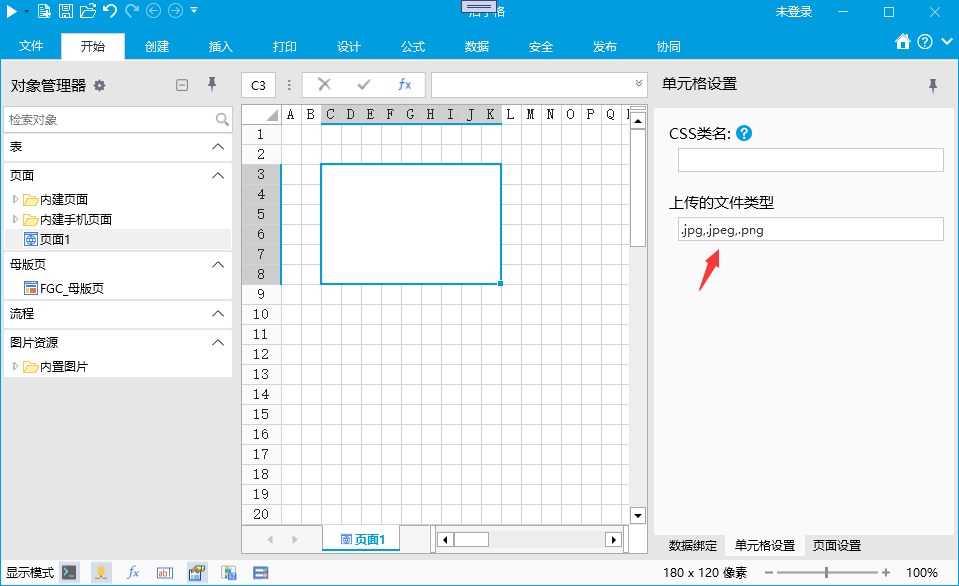
        [DisplayName("上传的文件类型")]
        public string accept { get; set; }

        [Browsable(false)]
        [SaveJsonIgnore]
        [ServerProperty]
        public UploadLimit UploadLimit
        {
            get
            {
                return new UploadLimit()
                {
                    ExtensionFilter = this.accept,
                };
            }
        }
    }
    public class UploadLimit : IUploadLimit
    {
        public UploadLimit()
        {
            ExtensionFilter = "";
            SizeLimit = 0;
        }
        [DefaultValue("")]
        public string ExtensionFilter { get; set; }

        [DefaultValue(0d)]
        public double SizeLimit { get; set; }
    }
}
UploadImageDemoCellTypeDesigner.cs 文件中添加如下代码
csharp
using GrapeCity.Forguncy.CellTypes;
namespace UploadImageDemo.Designer
{
    public class UploadImageDemoCellTypeDesigner : CellTypeDesigner<UploadImageDemoCellType>, ISupportPropertyInitialize
    {
        public void InitDefaultPropertyValues(IBuilderContext context)
        {
            this.CellType.accept = ".jpg,.jpeg,.png";
        }
    }
}
WARNING
代码说明,处于安全性能考虑,上传文件必须限制文件的扩展名。通过添加属性 UploadLimit 实现,属性 UploadLimit 必须添加 [ServerProperty] 标注,并且类型必须是实现了 IUploadLimit 接口的类。
在设计器中效果如下
UploadImageDemoCellType.js 代码如下:
javascript
/// <reference path="../Declarations/forguncy.d.ts" />
/// <reference path="../Declarations/forguncy.Plugin.d.ts" />
class UploadImageDemoCellType extends Forguncy.Plugin.CellTypeBase {
    createContent() {
        // 获取MyProperty属性值,注意,这里的MyProperty应该与 UploadImageDemoCellType.cs 文件定义的属性名一致
        const accept = this.CellElement.CellType.accept;
        const uploadLimitId = this.CellElement.ServerPropertiesId.UploadLimit;

        const div = $("<div style='width:100%;height:100%'></div>")
        const file = $("<input type='file'>");
        const img = $("<img style='width:100px;height:100px'/>");

        file.on("change", e => {
            const value = file.val();
            if (value) {
                const files = file[0].files;
                const fileData = files[0];
                const successCallback = (fileName) => {
                    const root = Forguncy.Helper.SpecialPath.getBaseUrl();
                    img[0].src = root + Forguncy.ModuleLoader.getCdnUrl("FileDownloadUpload/Download?file=" + encodeURIComponent(fileName));
                };
                const errorCallback = (e) => {
                    alert(e);
                };
                Forguncy.Common.uploadImageToServer(fileData, null, accept, successCallback, errorCallback, undefined, uploadLimitId);
            }
        });

        div.append(file);
        div.append(img);

        return div;
    }
}
Forguncy.Plugin.CellTypeHelper.registerCellType("UploadImageDemo.UploadImageDemoCellType, UploadImageDemo", UploadImageDemoCellType);
代码说明:
WARNING
使用 Forguncy.Common.uploadImageToServer 方法可以上传图片。参数如下:
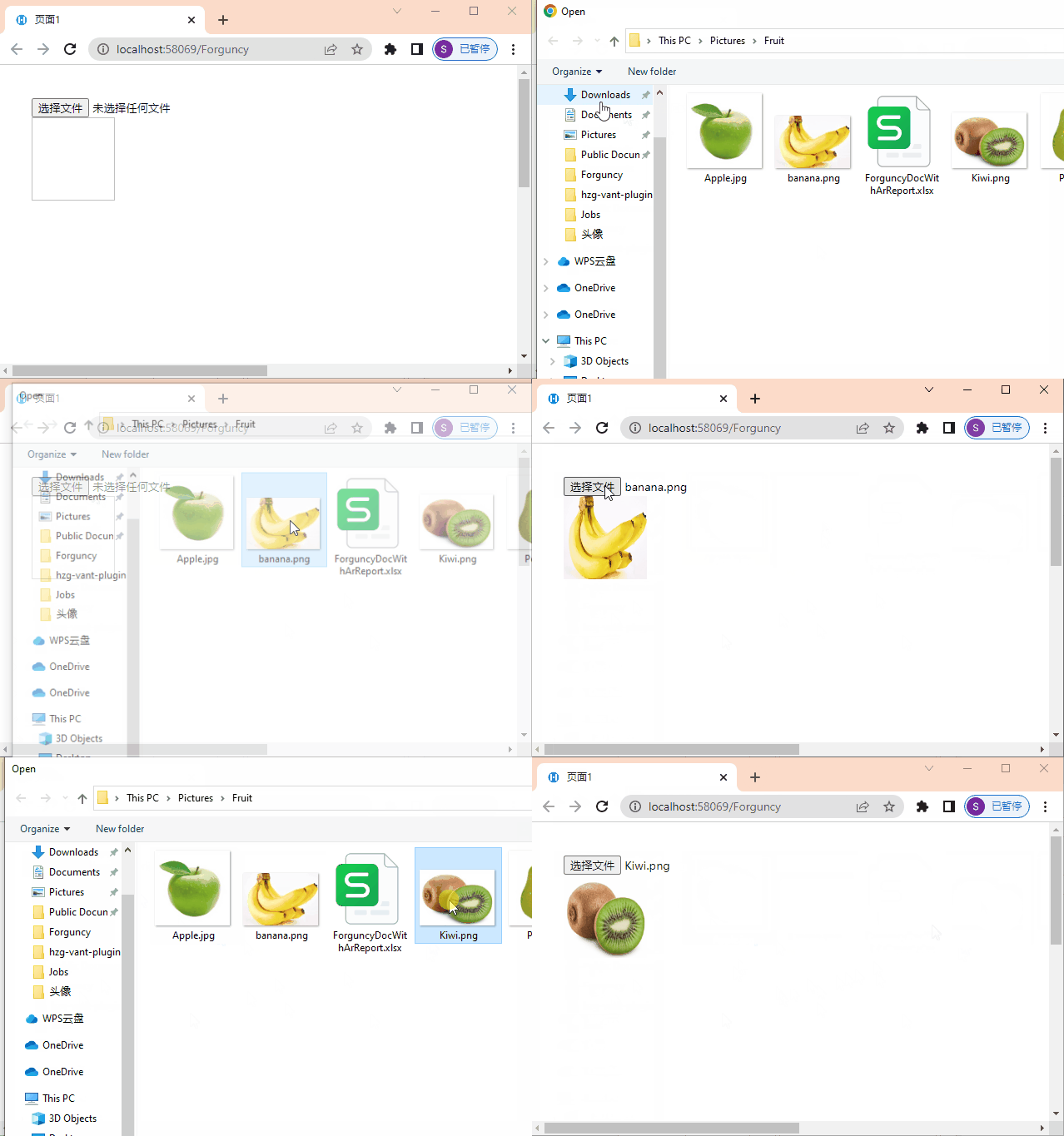
浏览器中的效果:
更新: 2023-05-30 10:43:05
原文: https://www.yuque.com/robert-bh51n/ea8l6c/hu5g6ppyapbw2h6m