Appearance
公式属性
如果属性值需要依赖公式的计算结果动态变化,可以通过标注FormulaPropertyAttribute 的方式设置。
注意,标注FormulaPropertyAttribute的属性类型必须是 object
csharp
    public class MyPluginCommand : Command
    {
        [FormulaProperty]
        public object MyProperty { get; set; }
    }
在设计器中效果如下
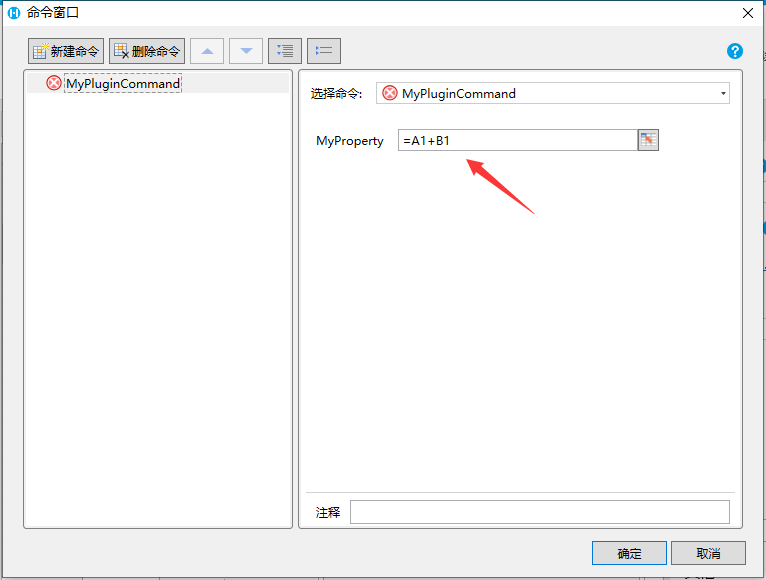
为支持公式属性,命令对应的JavaScript类也需要对应的处理,可以通过evaluateFormula方法计算公式的值
javascript
class MyPluginCommand extends Forguncy.Plugin.CommandBase{
    execute() {
        const formula = this.CommandParam.MyProperty;
        const result = this.evaluateFormula(formula);
        alert(result);
    }
}

Forguncy.Plugin.CommandFactory.registerCommand("MyPlugin.MyPluginCommand, MyPlugin", MyPluginCommand);
如果需要更细致的控制,可以通过FormulaPropertyAttribute的其他属性来控制
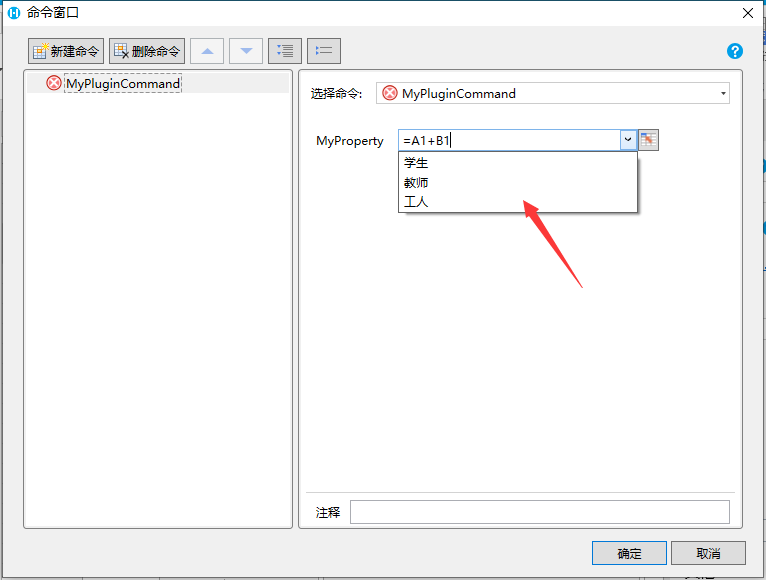
- 提供备选列表
- 设置FormulaPropertyAttribute 的 RecommendedValues 属性
使用“|”分隔多个候选项 - 代码
- 设置FormulaPropertyAttribute 的 RecommendedValues 属性
csharp
    public class MyPluginCommand : Command
    {
        [FormulaProperty(RecommendedValues = "学生|教师|工人")]
        public object MyProperty { get; set; }
    }
3. 效果
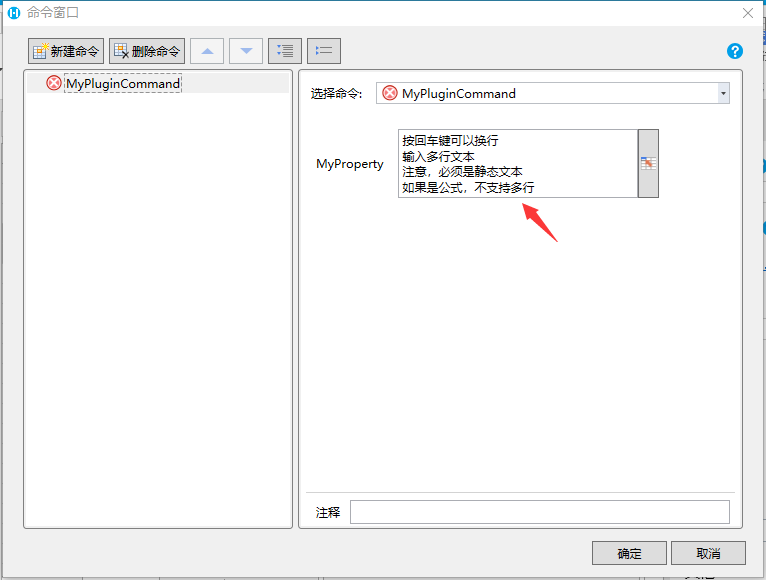
 2. 支持输入多行文本 1. 设置FormulaPropertyAttribute 的 AcceptsReturn 属性 2. 代码
csharp
    public class MyPluginCommand : Command
    {
        [FormulaProperty(AcceptsReturn = true)]
        public object MyProperty { get; set; }
    }
3. 效果
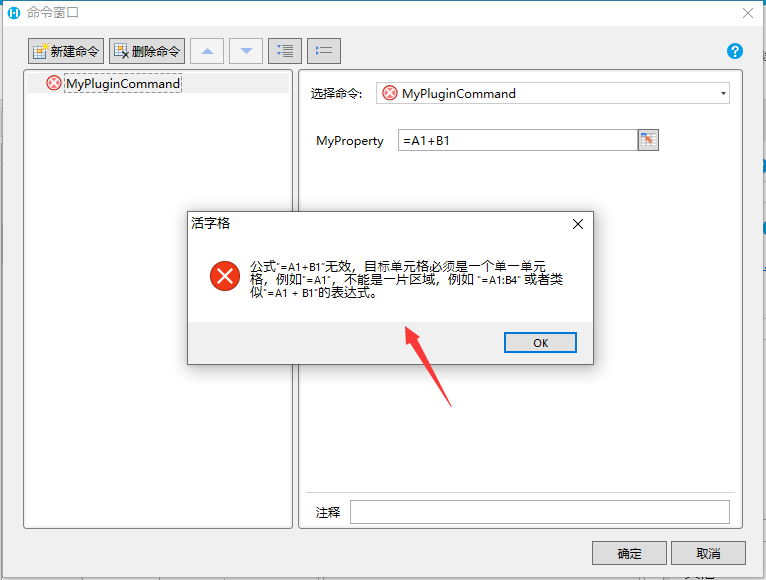
 3. 限制仅选择单元格 1. 设置FormulaPropertyAttribute 的 OnlySupportCell 属性。如果OnlySupportCell属性设置为True,用户只能给属性输入类似于 “=A1”这样的单元格引用。如果输入了类似“=A1+1”这样的表达式,会导致报错 2. 代码
csharp
    public class MyPluginCommand : Command
    {
        [FormulaProperty(OnlySupportCell = true)]
        public object MyProperty { get; set; }
    }
3. 效果
 4. 在JavaScript中,通过公式获取单元格对象。
如果公式引用的是单一单元格,可以通过getCellLocation, getCellByLocation方法获取单元格实例并进行操作
javascript
class MyPluginCommand extends Forguncy.Plugin.CommandBase{
    execute() {
        const formula = this.CommandParam.MyProperty;
        const cellLoaction = this.getCellLocation(formula);
        const cell = Forguncy.Page.getCellByLocation(cellLoaction);
        cell.setValue("Test");
    }
}

Forguncy.Plugin.CommandFactory.registerCommand("MyPlugin.MyPluginCommand, MyPlugin", MyPluginCommand);- 支持多语言
- 所有公式属性,默认会开启多语言支持,可以通过设置FormulaPropertyAttribute 的 CanSelectResource 属性关闭多语言支持。
- 代码
csharp
    public class MyPluginCommand : Command
    {
        [FormulaProperty(CanSelectResource = false)]
        public object MyProperty { get; set; }
    }
3. 此特性为 10.0.0.0 新增
更新: 2024-02-17 10:06:45
原文: https://www.yuque.com/robert-bh51n/ea8l6c/lnyzmmn1e3e01tm8