Appearance
自定义命令编辑控件
有些情况下,为了提升用户体验,会自定义整个命令编辑界面。而不是通过属性定义自定生成命令编辑界面。例如页面跳转命令,数据表操作命令就是这样的情况。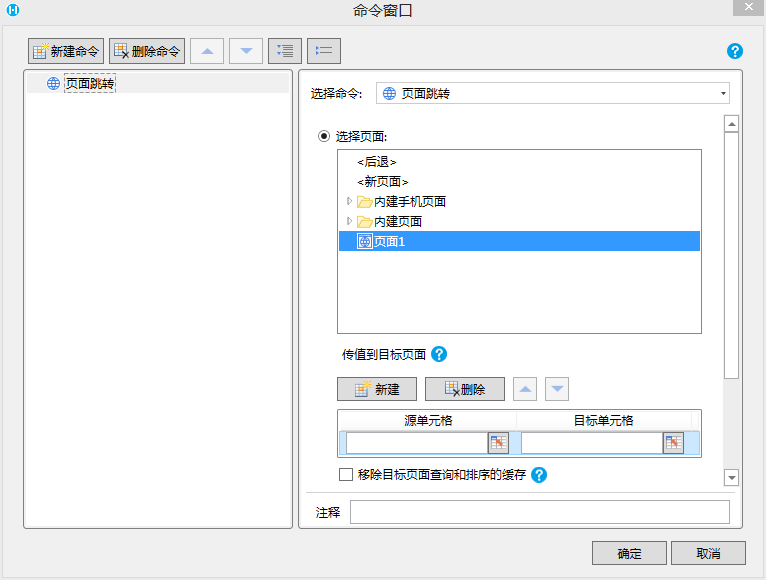
要实现完全自定义的编辑控件需要自定义WPF 控件,并让此控件实现 ICommandEditor 接口
步骤如下:
- 添加一个自定义窗体
在插件工程中Designer文件夹点击右键,选择添加->用户控件(WPF)
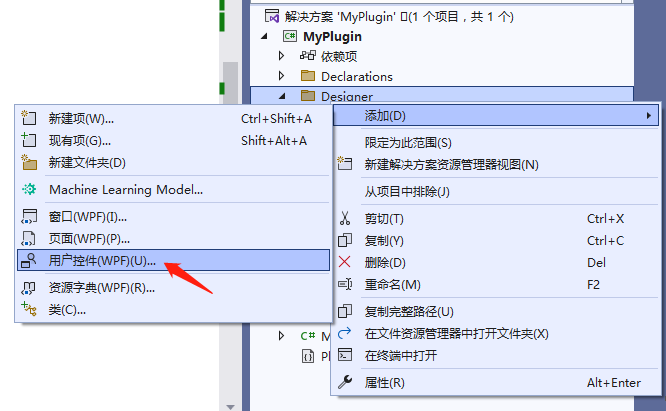
在弹出对话框中指定名称为 MyPluginCommandEditor.xaml
创建成功过后分别按以下代码修改 MyPluginCommandEditor.xaml 和 MyPluginCommandEditor.xaml.cs 文件
- MyPluginCommandEditor.xaml 文件
代码说明,在控件中添加了一个多行文本框(可以根据需求加入其它控件)
- MyPluginCommandEditor.xaml 文件
xml
<UserControl x:Class="MyPlugin.Designer.MyPluginCommandEditor"
             xmlns="http://schemas.microsoft.com/winfx/2006/xaml/presentation"
             xmlns:x="http://schemas.microsoft.com/winfx/2006/xaml"
             xmlns:mc="http://schemas.openxmlformats.org/markup-compatibility/2006"
             xmlns:d="http://schemas.microsoft.com/expression/blend/2008"
             xmlns:local="clr-namespace:MyPlugin.Designer"
             mc:Ignorable="d"
             MinHeight="100" d:DesignWidth="800">
    <StackPanel x:Name="root">
        <TextBlock>完全自定义的命令编辑界面</TextBlock>
        <TextBlock>可以使用任何组件布局</TextBlock>
        <TextBox Width="300" Height="200" HorizontalAlignment="Left" AcceptsReturn="True" Text="{Binding Text}"></TextBox>
    </StackPanel>
</UserControl>
2. MyPluginCommandEditor.xaml.cs 文件
代码说明,实现 ICommandEditor 接口,使用 Command 属性和 Validate 方法实现编辑
csharp
using GrapeCity.Forguncy.Commands;
using System.ComponentModel;
using System.Windows;
using System.Windows.Controls;

namespace MyPlugin.Designer
{
    /// <summary>
    /// MyPluginCommandEditor.xaml 的交互逻辑
    /// </summary>
    public partial class MyPluginCommandEditor : UserControl, ICommandEditor
    {
        public MyPluginCommandEditor()
        {
            InitializeComponent();
            this.root.DataContext = new MyCommandPropertyEditorViewModel();
        }

        public MyCommandPropertyEditorViewModel ViewModel
        {
            get
            {
                return this.root.DataContext as MyCommandPropertyEditorViewModel;
            }
        }
        // 初始化时会调用属性的 set 方法,在set方法中可以初始化UI控件的值
        // 在Validate()函数校验通过后会调用属性的 get 方法,可以通过 UI 控件 编辑后的值生成一个命令保存
        public Command Command
        {
            get
            {
                return new MyPluginCommand() { MyProperty = this.ViewModel.Text };
            }
            set
            {
                var command = value as MyPluginCommand;
                this.ViewModel.Text = command.MyProperty;
            }
        }

        // 自定义校验逻辑,提交编辑的时候会被调用,返回false表示校验失败
        public bool Validate()
        {
            if (string.IsNullOrEmpty(this.ViewModel.Text))
            {
                MessageBox.Show("XXX属性值不能为空", "错误", MessageBoxButton.OKCancel, MessageBoxImage.Error);
                return false;
            }
            return true;
        }

        public class MyCommandPropertyEditorViewModel : INotifyPropertyChanged
        {

            private string _text;
            public string Text
            {
                get
                {
                    return this._text;
                }
                set
                {
                    if (_text != value)
                    {
                        this._text = value;
                        PropertyChanged?.Invoke(this, new PropertyChangedEventArgs(nameof(Text)));
                    }
                }
            }


            public event PropertyChangedEventHandler PropertyChanged;
        }
    }
}- 修改MyPluginCommandDesigner.cs文件,让控件和属性关联
csharp
    public class MyPluginCommandDesigner : CommandDesigner<MyPluginCommand>
    {
        public override ICommandEditor GetCommandEditor()
        {
            return new MyPluginCommandEditor();
        }
}- 修改 MyPluginCommand.cs 文件,通过DesignerAttribute 和 MyPluginCommandDesigner 关联
csharp
using GrapeCity.Forguncy.Commands;
using System.ComponentModel;

namespace MyPlugin
{
    [Designer("MyPlugin.Designer.MyPluginCommandDesigner, MyPlugin")]
    public class MyPluginCommand : Command
    {
        public string MyProperty { get; set; }
    }
}- 效果
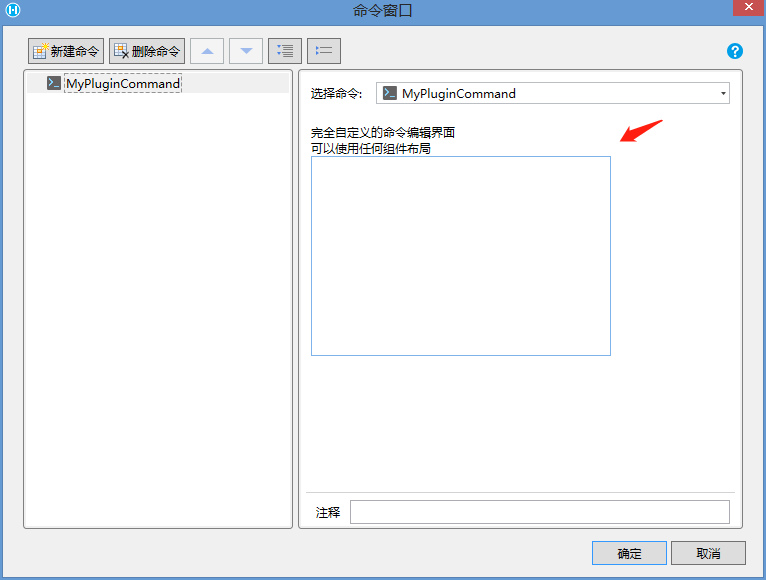
注意,本示为了演示功能,只实现了一个很简单的界面,只声明了一个属性。如果在实际插件开发中,这种简单的情况不需要自定义命令编辑控件。只有属性较多,操作逻辑较为复杂的时候才需要使用本章节的方法。
通常,实现一个较为完善的命令编辑控件需要较长的开发和调试时间,请慎重选择此方案。
更新: 2022-12-07 23:29:34
原文: https://www.yuque.com/robert-bh51n/ea8l6c/km3iilbsbdwxo7eu