Appearance
单选框属性
如果属性的类型是字符串,默认属性值是可以接受任意字符串的,如果希望提供字符串值候选列表,可以通过标注RadioGroupProperty 的并设置ValueList属性的方式实现单选框候选列表。多值个值用“|”分隔。
RadioGroupProperty和ComboProperty的使用方式非常类似,主要是在设计器中的UI表现不同。
注意,标注RadioGroupProperty的属性类型必须是 string
csharp
    public class MyPluginCommand : Command
    {
        [RadioGroupProperty(ValueList = "Student|Teacher|Worker")]
        public string MyProperty { get; set; }
    }
在设计器中效果如下
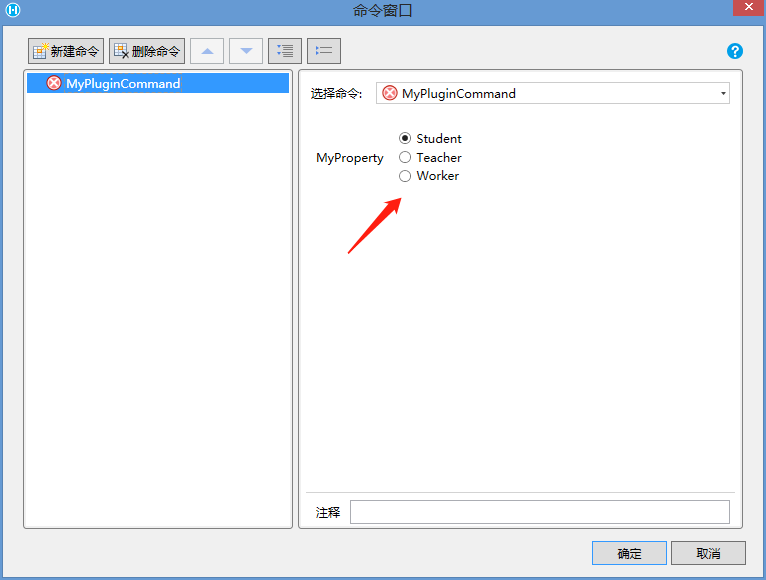
如果需要更细致的控制,可以通过RadioGroupProperty的其他属性来控制
- 值与显示值不同
- 设置RadioGroupProperty 的 DisplayList 属性
- 代码
csharp
    public class MyPluginCommand : Command
    {
        [RadioGroupProperty(ValueList = "Student|Teacher|Worker", DisplayList ="学生|教师|工人")]
        public string MyProperty { get; set; }
    }
3. 效果
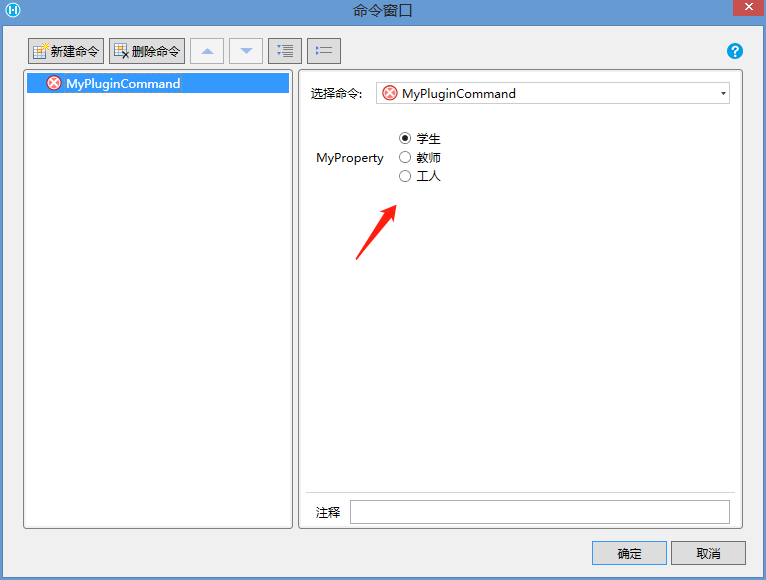 4. 其他说明
此方法可以使用户在选择时选择中文选项,而单元格实际保存值为英文,方便程序处理
ValueList和DisplayList通过数量和顺序匹配。
如果DisplayList数量超出ValueList数量,多出部分会被忽略
如果DisplayList数量少于ValueList数量,不足部分会使用ValueList对应的值
更新: 2022-11-28 22:06:38
原文: https://www.yuque.com/robert-bh51n/ea8l6c/mzp8q4gf9k7v6w1u