Appearance
折叠高级属性
此特性为活字格V10.0.0.0新增功能
当命令属性特别多时,默认会在属性面板上显示命令的所有属性。但是如果有一些属性不太常用,会大幅提高用户的学习成本。
通过标注AdvancedPropertyAttribute可以轻松解决这个问题。
折叠命令属性
设计时代码
csharp
    public class MyPluginCommand : Command
    {
        public string MyProperty { get; set; }
        public string MyProperty1 { get; set; }

        [AdvancedProperty]
        [DefaultValue(null)]
        public string MyProperty2 { get; set; }

        [AdvancedProperty]
        [DefaultValue(null)]
        public string MyProperty3 { get; set; }
    }
设计器效果
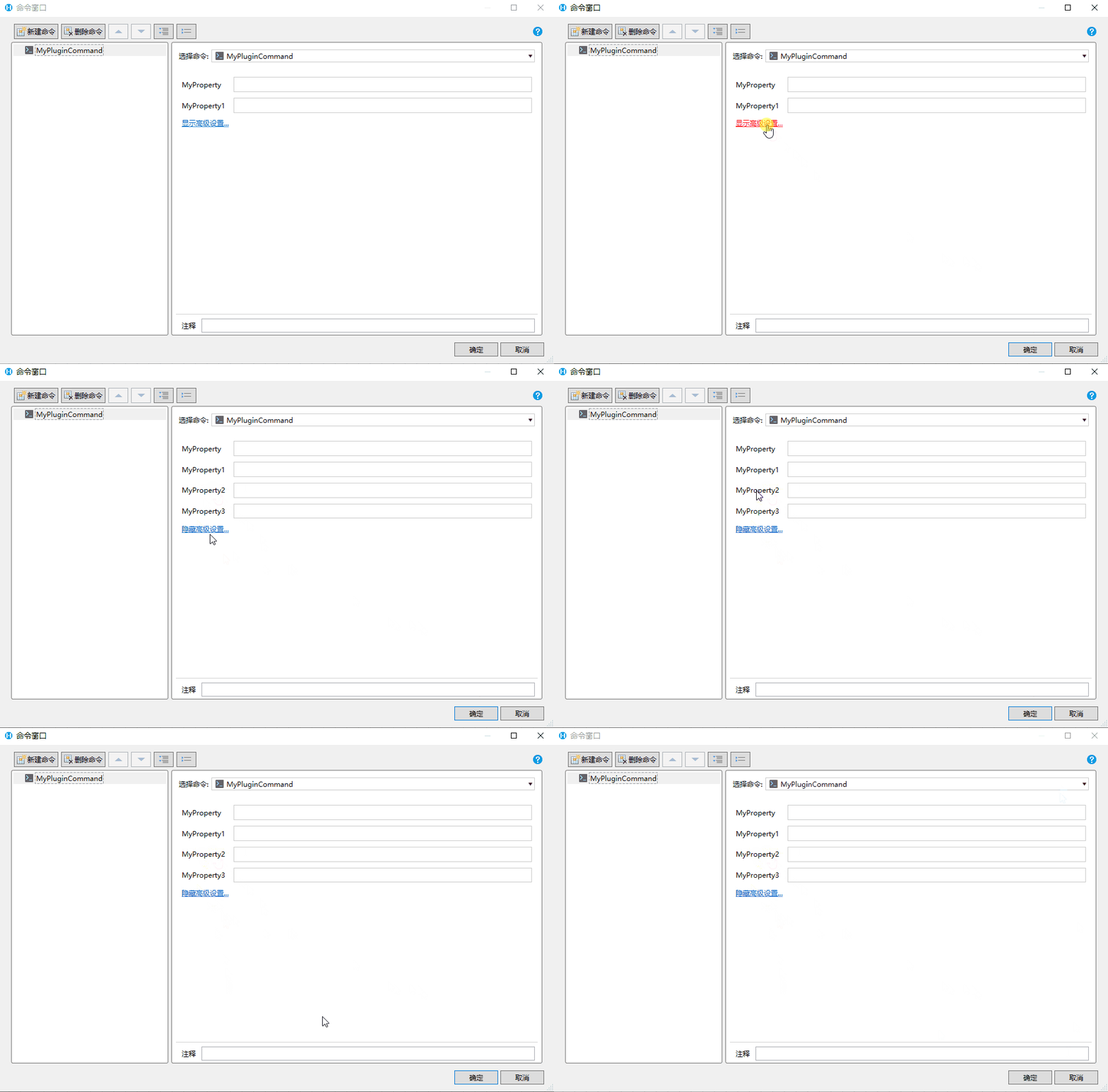
如果用户修改过高级属性中的值,选择命令后,高级设置会自动展开,如果用户没有设置过任何高级属性中的值。选中命令时,高级属性会默认折叠
折叠对象属性
设计时代码
csharp
    public class MyPluginCommand : Command
    {
        [ObjectProperty(ObjType = typeof(MyObj))]
        public MyObj MyProperty { get; set; }
    }

    public class MyObj : ObjectPropertyBase
    {
        public string MyProperty { get; set; }
        public string MyProperty1 { get; set; }

        [AdvancedProperty]
        [DefaultValue(null)]
        public string MyProperty2 { get; set; }

        [AdvancedProperty]
        [DefaultValue(null)]
        public string MyProperty3 { get; set; }
    }
设计器效果
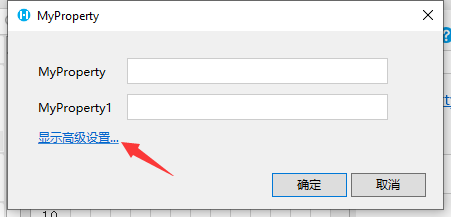
折叠对象列表属性
设计时代码
csharp
    public class MyPluginCommand : Command
    {
        [ObjectListProperty(ItemType = typeof(MyObj))]
        public List<INamedObject> MyProperty { get; set; }
    }

    public class MyObj : ObjectPropertyBase, INamedObject
    {
        public string Name { get; set; }
        public string MyProperty { get; set; }
        public string MyProperty1 { get; set; }

        [AdvancedProperty]
        [DefaultValue(null)]
        public string MyProperty2 { get; set; }

        [AdvancedProperty]
        [DefaultValue(null)]
        public string MyProperty3 { get; set; }
    }
设计器效果
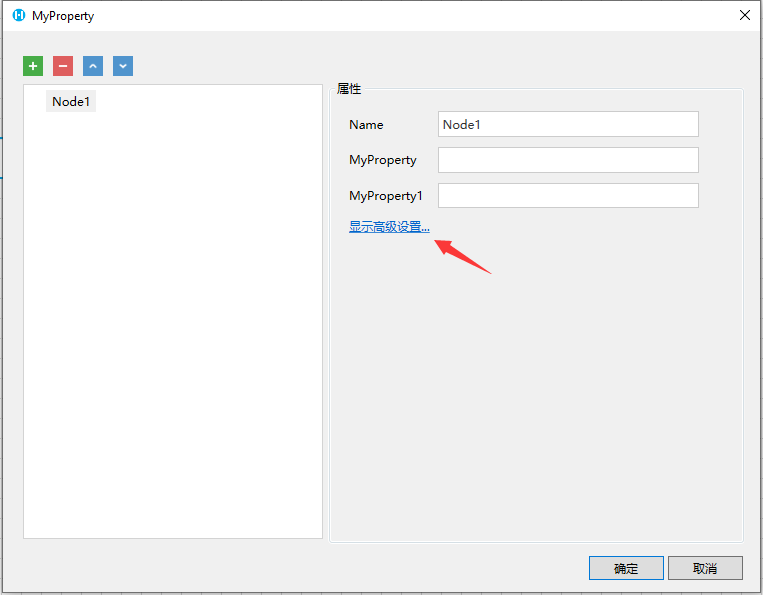
更新: 2024-02-05 15:10:04
原文: https://www.yuque.com/robert-bh51n/ea8l6c/gt2zyc7kidz2getf