Appearance
自定义调试显示属性
调试功能是活字格 10.0.100.0 之后提供的功能。在调试过程中。用户可用通过页面元素面板,查看当前页面上元素的值。如果是单元格类型,默认情况下也是可以查看值的。如下图。
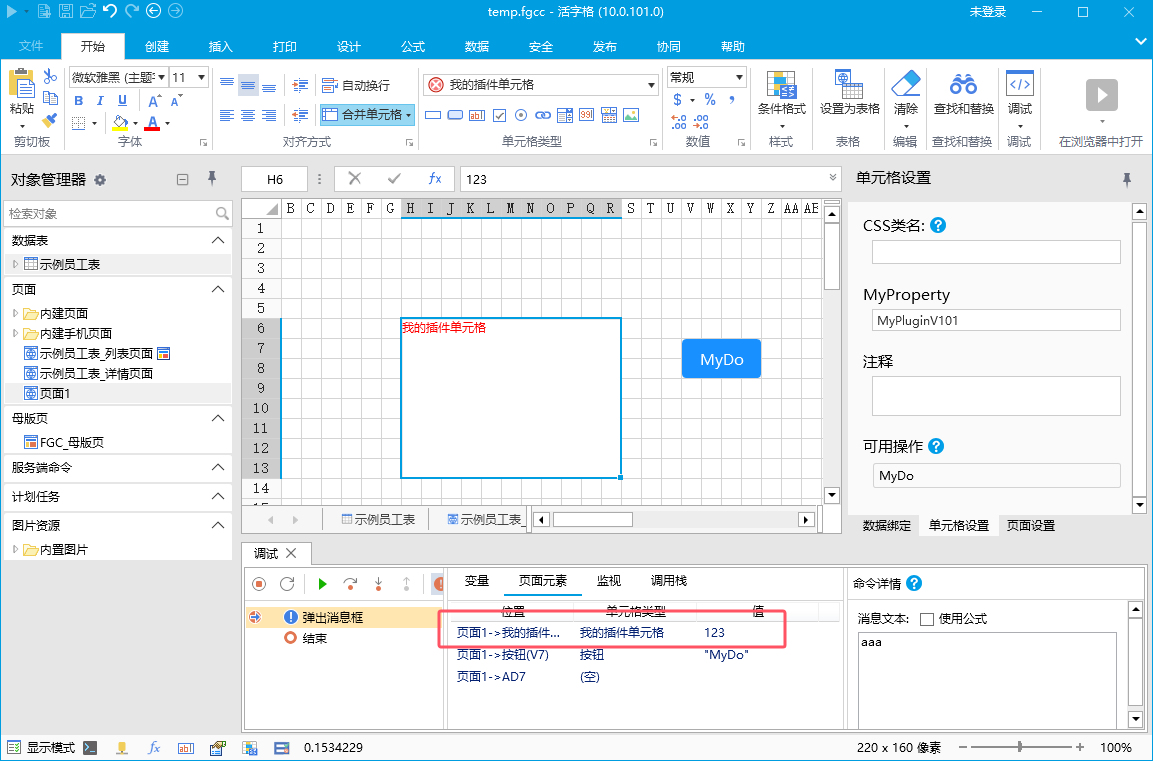
有些情况下,只能查看单元格的值是不够的,例如,组合框(选择器)通常情况下,值是字典表的 id,而显示值是字典表的文本。那么调试的时候会希望技能看到单元格的值右能看到单元格的文本。此时可以通过重写单元格的 getDebugValue() 方法,返回一个对象
javascript
class MyPluginV101CellType extends Forguncy.Plugin.CellTypeBase {
    createContent() {
        this.items = [
            {
                "id": 1,
                "text": "教师"
            },
            {
                "id": 2,
                "text": "学生"
            },
            {
                "id": 3,
                "text": "工人"
            }
        ];
        const div = $("<div>" + this.items.map(i => i.text).join("<br>") + "</div>");
        return div;
    }

    getDebugValue()
    {
        const value = super.getDebugValue();
        return {
            "值": value,
            "文本": this.items.find(i => i.id === value).text
        }
    }
}
Forguncy.Plugin.CellTypeHelper.registerCellType("MyPluginV101.MyPluginV101CellType, MyPluginV101", MyPluginV101CellType);
调试查看结果如下
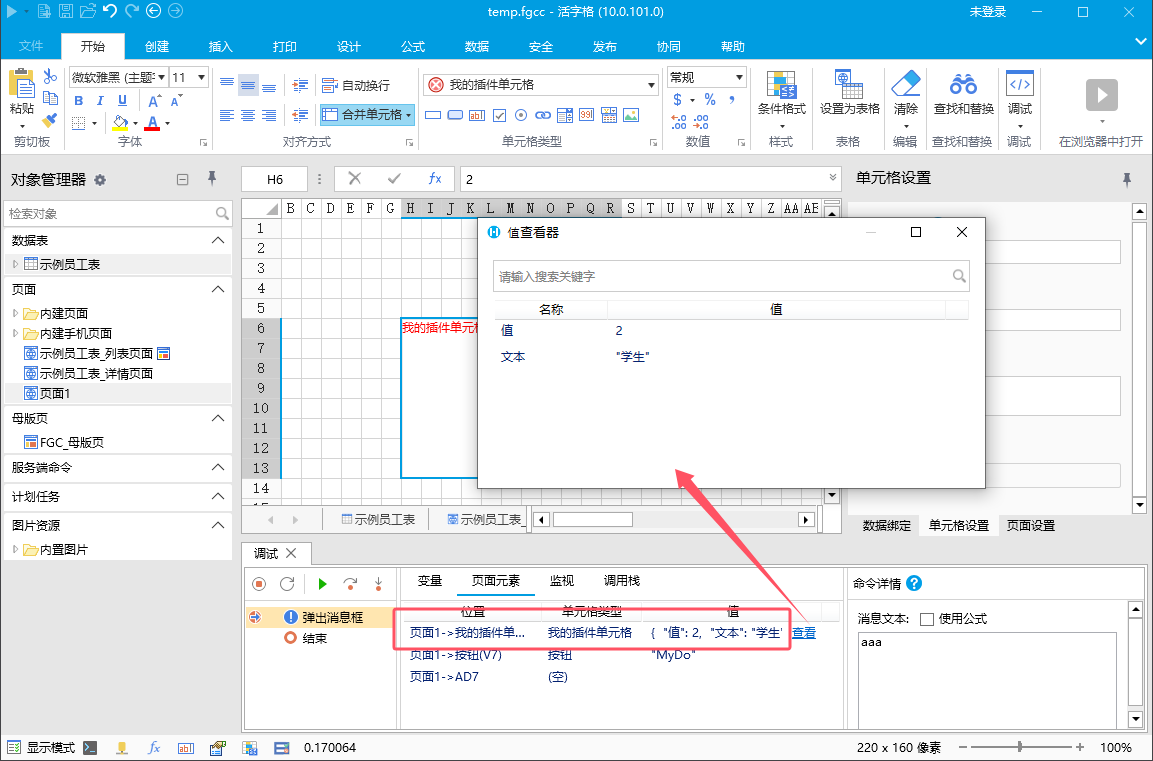
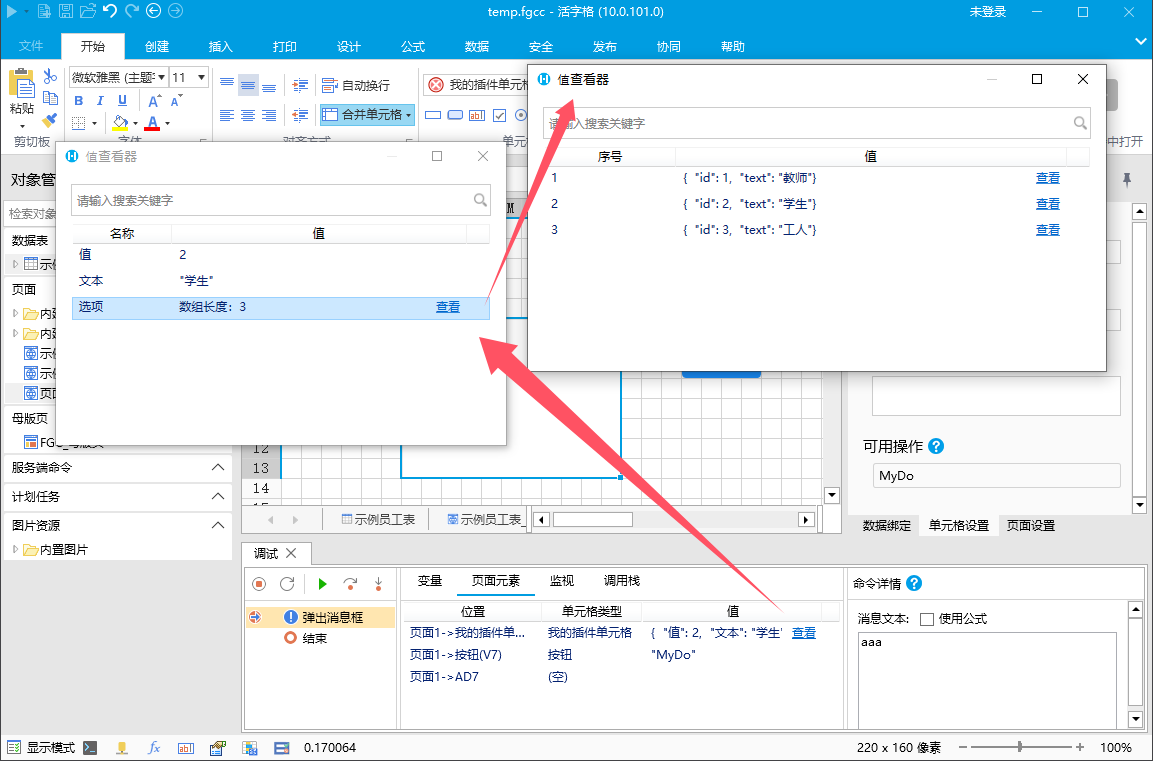
如果希望显示单元格的更复杂的属性,只需要略微修改 getDebugValue 方法,返回复杂对象即可。例如,如果希望返回列表属性,代码如下
javascript
class MyPluginV101CellType extends Forguncy.Plugin.CellTypeBase {
    createContent() {
        this.items = [
            {
                "id": 1,
                "text": "教师"
            },
            {
                "id": 2,
                "text": "学生"
            },
            {
                "id": 3,
                "text": "工人"
            }
        ];
        const div = $("<div>" + this.items.map(i => i.text).join("<br>") + "</div>");
        return div;
    }

    getDebugValue()
    {
        const value = super.getDebugValue();
        return {
            "值": value,
            "文本": this.items.find(i => i.id === value).text,
            "选项": this.items
        }
    }
}
Forguncy.Plugin.CellTypeHelper.registerCellType("MyPluginV101.MyPluginV101CellType, MyPluginV101", MyPluginV101CellType);
调试查看结果如下
更新: 2024-09-30 16:44:49
原文: https://www.yuque.com/robert-bh51n/ea8l6c/oc3x20e69pgfbnki