Appearance
添加修改属性值操作
在上一章节中,我们了解了如何定义单元格的属性。这些属性有一个小小的缺憾,就是属性的值是在设计时决定的。在网站构建好之后就没有办法修改了。如果属实的值希望根据不同的情况进行修改,该怎么做呢。
单元格操作可以很方便的实现这个需求
在MyPluginCellType.cs文件中做如下修改
csharp
    public class MyPluginCellType : CellType
    {
        [SupportModifyByRuntimeProperty]
        [DisplayName("按钮文本")]
        public string ButtonText { get; set; }
    }
设计器效果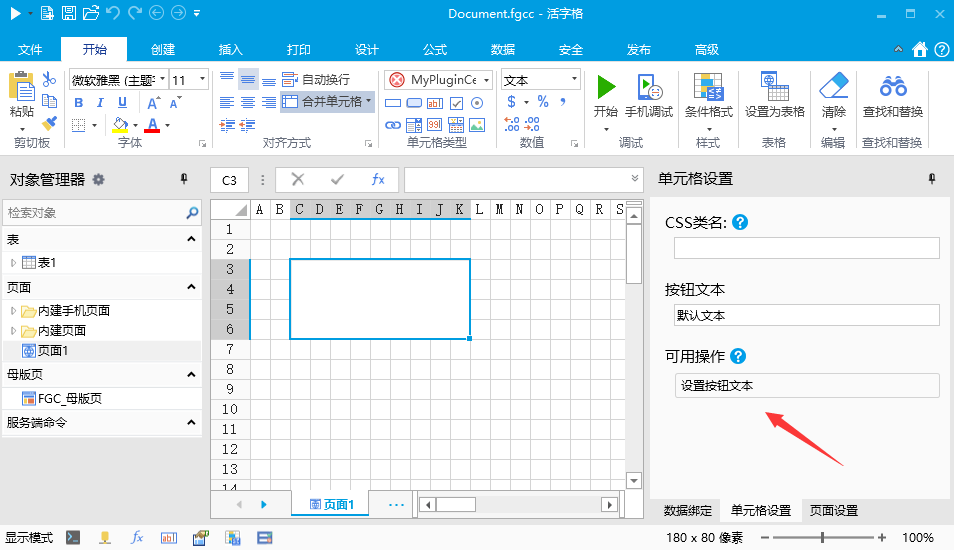
修改 文件中的JavaScript代码,注意,这里添加了 “set_ButtonText”方法,在这个方法中修改了按钮的文本。“set_属性名”是一个固定的命名规则,如果一个属性标注了“SupportModifyByRuntimeProperty”特性,就表示这个属性在运行时,可以通过操作单元格命令修改。修改时,活字格会调用单元格插件的 “set_指定属性名”方法,在方法中添加相应的变更逻辑即可
javascript
class MyPluginCellType extends Forguncy.Plugin.CellTypeBase {
    content = null;
    createContent() {
        this.content = $("<button style='width:100%;height:100%;'></button>");
        this.content.text(this.CellElement.CellType.ButtonText);
        return this.content;
    }
    set_ButtonText(value) {
        this.content.text(value);
    }
}
Forguncy.Plugin.CellTypeHelper.registerCellType("MyPlugin.MyPluginCellType, MyPlugin", MyPluginCellType);
测试
在设计器中添加一个按钮,按照下图配置按钮命令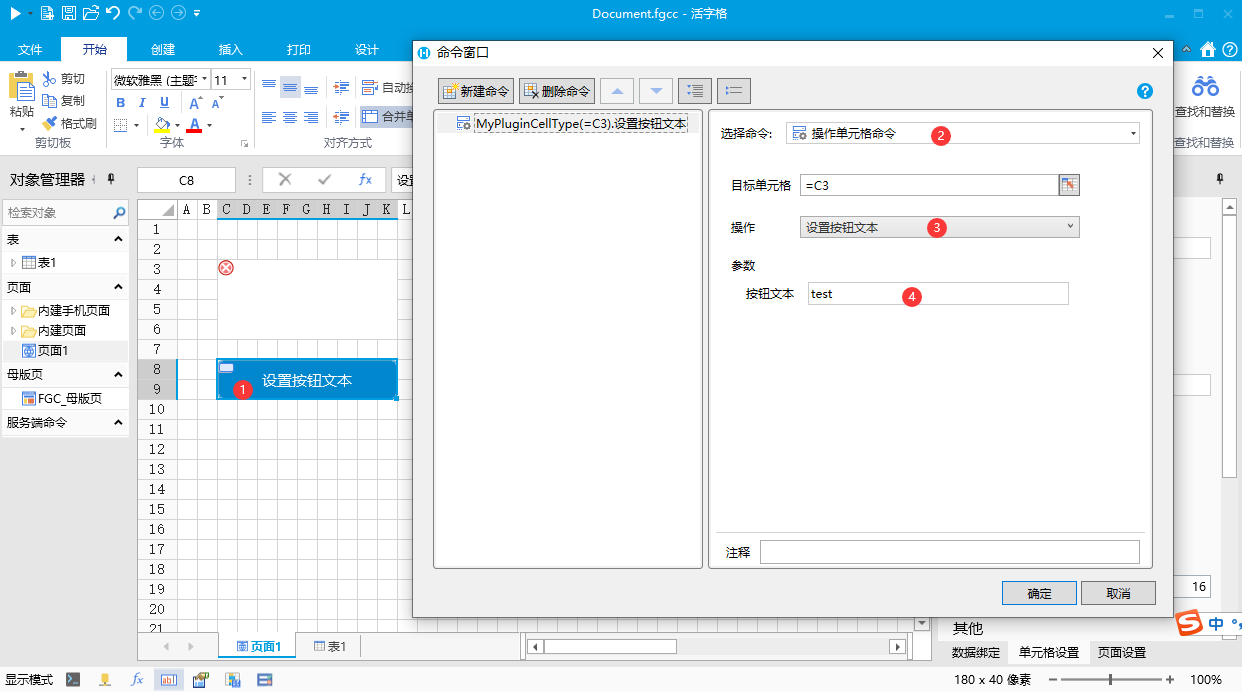
运行后,点击“设置按钮文本按钮”可以发现插件按钮的文本变化了。
我们可以注意到,在操作单元格命令中,按钮文本属性是文本框。这个编辑控件实际上默认会使用属性标注的控件,例如,如果属性按照如下标注
csharp
    public class MyPluginCellType : CellType
    {
        [SupportModifyByRuntimeProperty]
        [DisplayName("按钮文本")]
        [ComboProperty(ValueList ="确认|取消|关闭")]
        public string ButtonText { get; set; }
    }
设计器中的效果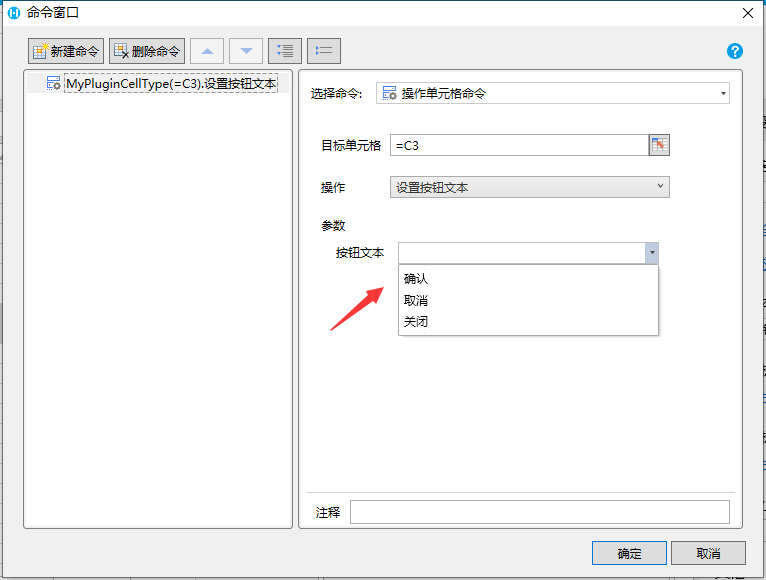
如何希望不使用属性标注的编辑控件,而强制使用公式编辑框,可以通过设置 UseFormulaEditor 属性为 True来实现
csharp
    public class MyPluginCellType : CellType
    {
        [SupportModifyByRuntimeProperty(UseFormulaEditor = true)]
        [DisplayName("按钮文本")]
        public string ButtonText { get; set; }
    }
设计器中效果如下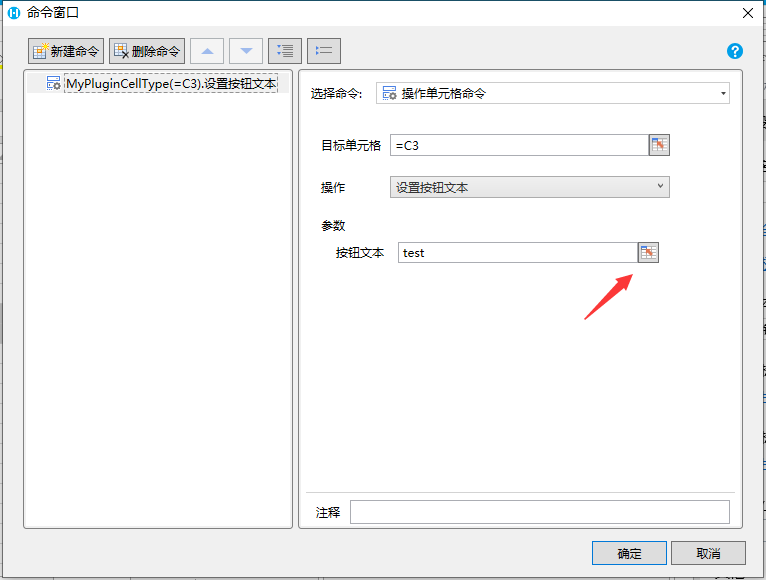
更新: 2022-11-27 20:13:20
原文: https://www.yuque.com/robert-bh51n/ea8l6c/mtxp9osoenocv3gv