Appearance
列表属性
如果一个属性的类型是List类型,List的每一项又包含了子属性,那么可以通过标注ListPropertyAttribute,使得活字格设计器可以通过弹出二级对话框来编辑该属性。
csharp
using GrapeCity.Forguncy.CellTypes;
using GrapeCity.Forguncy.Plugin;
using System.Collections.Generic;

namespace MyPlugin
{
    public class MyPluginCellType : CellType
    {
        [ListProperty]
        public List<MyObj> MyProperty { get; set; }
    }

    public class MyObj : ObjectPropertyBase
    {
        public string Name { get; set; }
        public string Description { get; set; }
    }
}
在设计器中效果如下
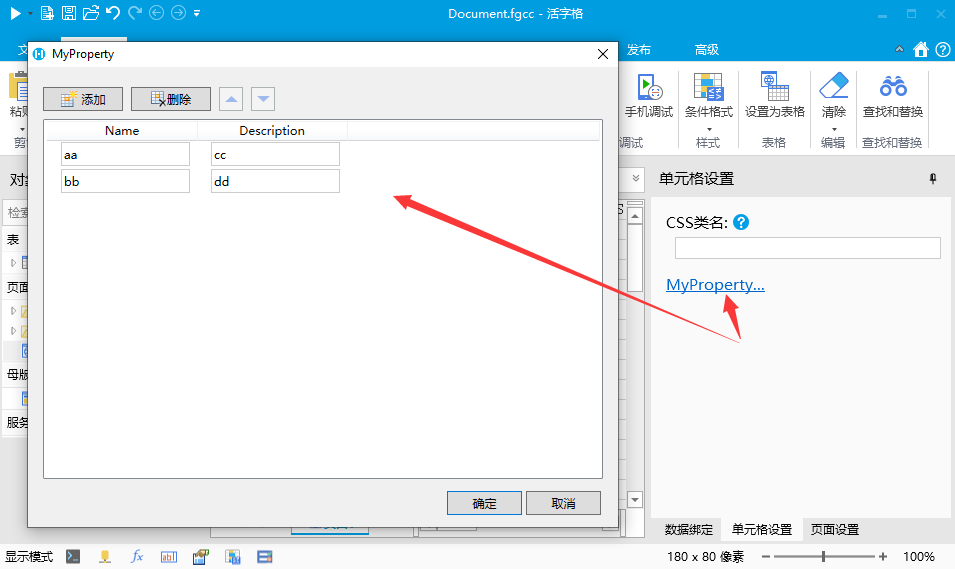
列表项目的子属性也可以通过标注来控制属性编辑控件
下面例子中,额外声明了两个属性分别使用公式编辑器和命令编辑器。具体标注的用法请参考之前的章节
csharp
    public class MyPluginCellType : CellType
    {
        [ListProperty]
        public List<MyObj> MyProperty { get; set; }
    }

    public class MyObj: ObjectPropertyBase
    {
        public string Name { get; set; }
        public string Description { get; set; }

        [FormulaProperty]
        public object FormulaProperty { get; set; }

        [CustomCommandObject]
        [DisplayName("点击命令")]
        public object ClickCommand { get; set; }
    }
在设计器中效果如下
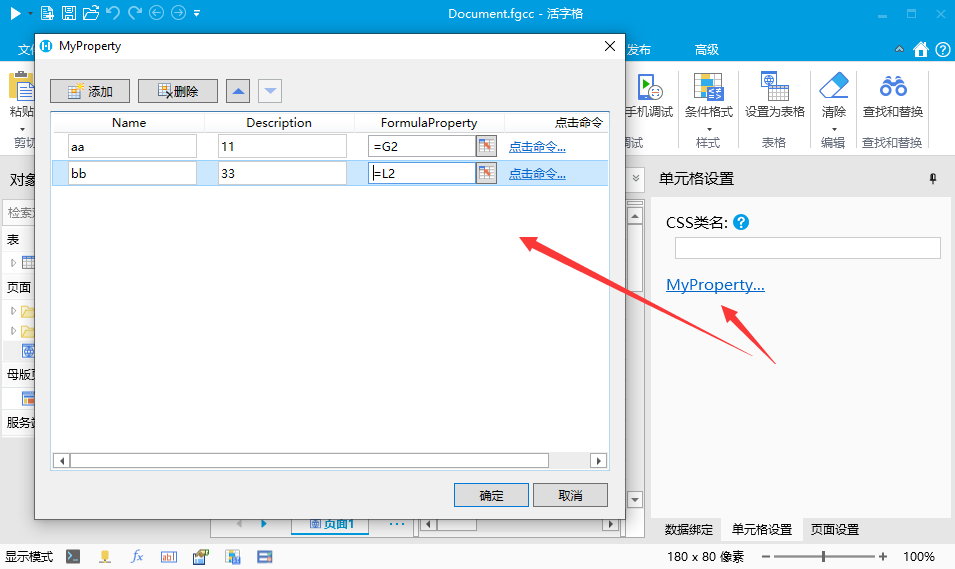
如果需要更细致的控制,可以通过ListPropertyAttribute的其他属性来控制
- 控制列表最大或最小元素个数
- 设置ListPropertyAttribute 的 MaxCount 和 MinCount 属性
- 代码
csharp
    public class MyPluginCellType : CellType
    {
        [ListProperty(MaxCount = 5, MinCount = 1)]
        public List<MyObj> MyProperty { get; set; }
    }

    public class MyObj: ObjectPropertyBase
    {
        public string Name { get; set; }
        public string Description { get; set; }
}- 指定属性的默认值
- 给属性添加ListPropertyItemSettingAttribute 的 DefaultName 属性
- 代码
csharp
    public class MyPluginCellType : CellType
    {
        [ListProperty]
        public List<MyObj> MyProperty { get; set; }
    }

    public class MyObj : ObjectPropertyBase
    {
        [ListPropertyItemSetting(DefaultName = "Node")]
        public string Name { get; set; }
        public string Description { get; set; }
    }
3. 设计器时效果
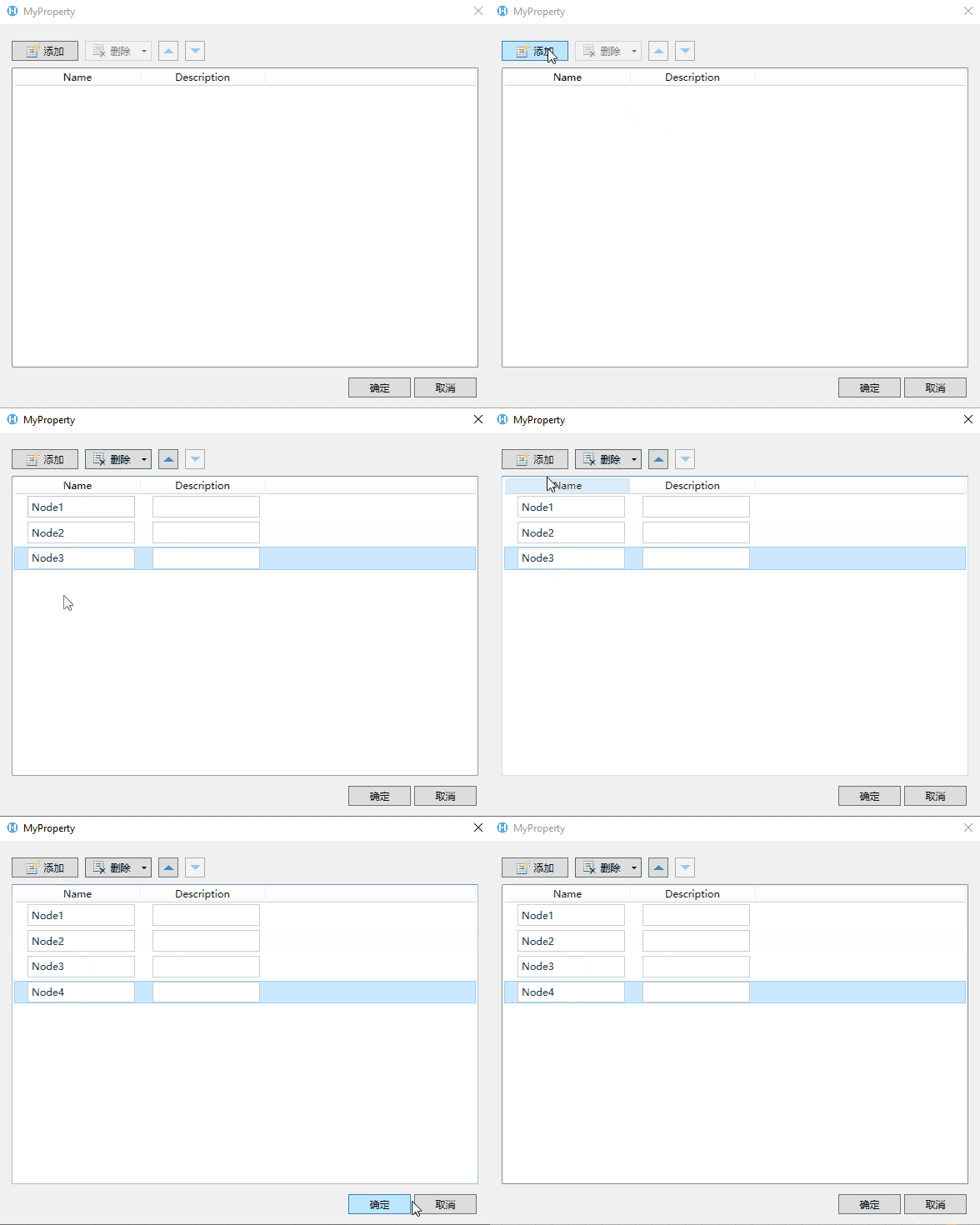 4. 此特性为10.0.0.0版本新增 3. 指定属性的默认列宽 1. 给属性添加ListPropertyItemSettingAttribute 的 DefaultWidth 属性(列表属性的默认列宽为150个像素) 2. 代码
csharp
    public class MyPluginCellType : CellType
    {
        [ListProperty]
        public List<MyObj> MyProperty { get; set; }
    }

    public class MyObj : ObjectPropertyBase
    {
        [ListPropertyItemSetting(DefaultWidth = 250)]
        public string Name { get; set; }
        public string Description { get; set; }
    }
3. 设计器时效果
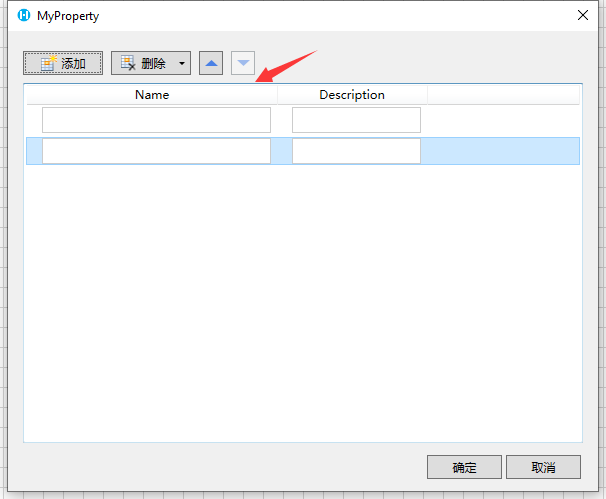 4. 此特性为10.0.0.0版本新增 4. 指定属性值不可重复 1. 给属性添加ListPropertyItemSettingAttribute 的 IsUnique 属性 2. 代码
csharp
    public class MyPluginCellType : CellType
    {
        [ListProperty]
        public List<MyObj> MyProperty { get; set; }
    }

    public class MyObj : ObjectPropertyBase
    {
        [ListPropertyItemSetting(IsUnique = true)]
        public string Name { get; set; }
        public string Description { get; set; }
    }
3. 设计器时效果
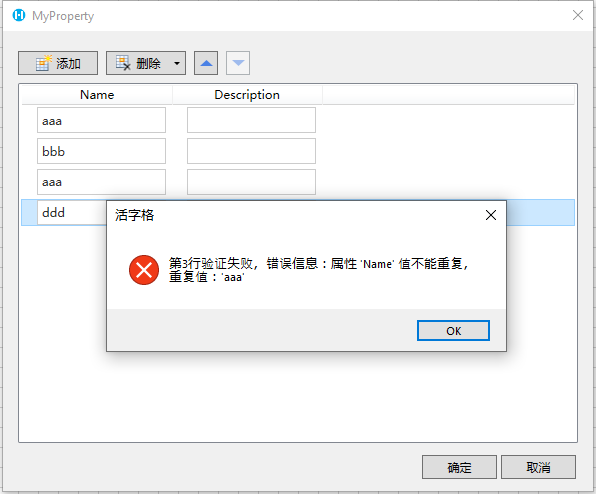 4. 此特性为10.0.0.0版本新增 5. 内嵌显示 1. 通过标注 FlatListPropertyAttribute 可以让列表在属性面板中内嵌显示 2. 代码
csharp
    public class MyPluginCellType : CellType
    {
        [FlatListProperty]
        public List<MyObj> MyProperty { get; set; }
    }

    public class MyObj : ObjectPropertyBase
    {
        public string Name { get; set; }
        public string Description { get; set; }
    }
3. 设计器时效果
4. 此特性为10.0.0.0版本新增
更新: 2024-02-06 19:14:26
原文: https://www.yuque.com/robert-bh51n/ea8l6c/runvkl9qysvo260u