Appearance
图片属性
如果属性表示图片或图标,希望使用图片选择编辑器编辑属性,可以通过标注ImageValuePropertyAttribute 的方式设置。
注意,标注ImageValuePropertyAttribute的属性类型必须是 object 或 ImageValue
csharp
    public class MyPluginCellType : CellType
    {
        [ImageValueProperty]
        public object MyProperty { get; set; }
    }
在设计器中效果如下
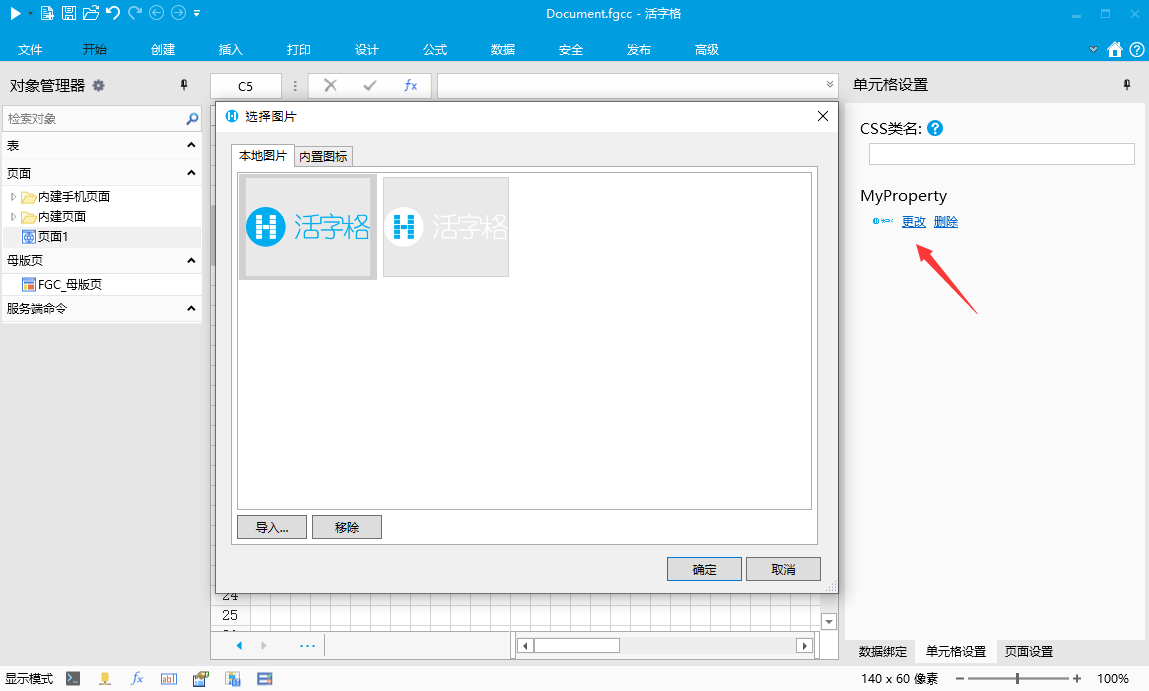
如果需要更细致的控制,可以通过ImageValuePropertyAttribute的其他属性来控制
- 禁止选择SVG图片
- 设置ImageValuePropertyAttribute 的 SupportSvg 属性
- 代码
csharp
    public class MyPluginCellType : CellType
    {
        [ImageValueProperty(SupportSvg = false)]
        public object MyProperty { get; set; }
    }
3. 效果
在图片选择对话框中只允许选择或上传普通图片,不能选择或上传SVG图片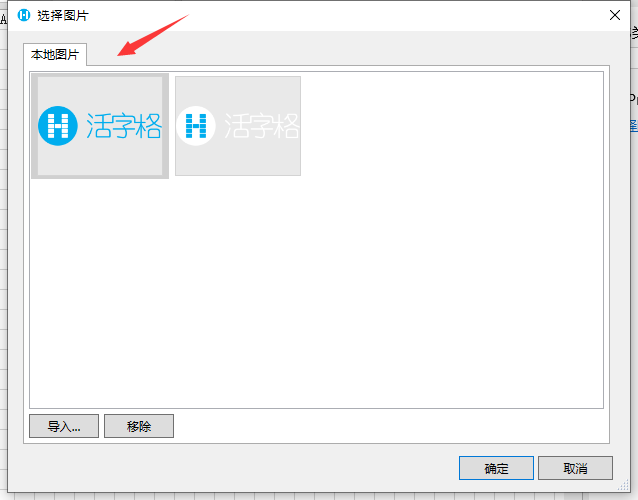 2. 设置内置图标默认值
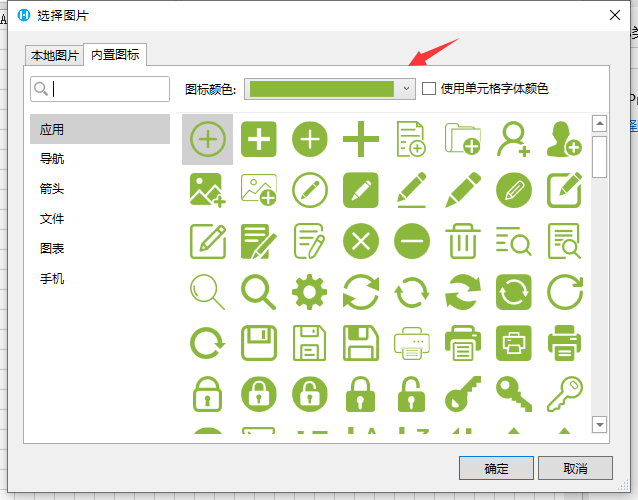
例如内建单元格中如果没有设置图标,按钮的图标默认值是白色的,文本框的图标默认是灰色的。 1. 设置ImageValuePropertyAttribute 的 DefaultIconColor 属性 2. 代码
关于活字格中的颜色字符串表示法,请参考 颜色属性章节
csharp
    public class MyPluginCellType : CellType
    {
        [ImageValueProperty(DefaultIconColor = "Accent 2")]
        public object MyProperty { get; set; }
    }
3. 效果
 3. 设置默认选中的标签页
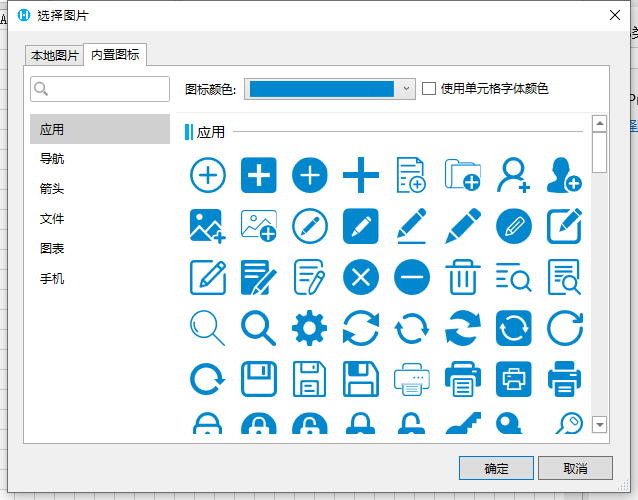
如果该属性大部分情况下推荐用户使用内建图标应该把默认标签页设置为“内置图标” 1. 设置ImageValuePropertyAttribute 的 DefaultActiveTabIndex 属性 2. 代码
csharp
    public class MyPluginCellType : CellType
    {
        [ImageValueProperty(DefaultActiveTabIndex = 1)]
        public object MyProperty { get; set; }
    }
3. 效果
 4. 说明
4. 说明
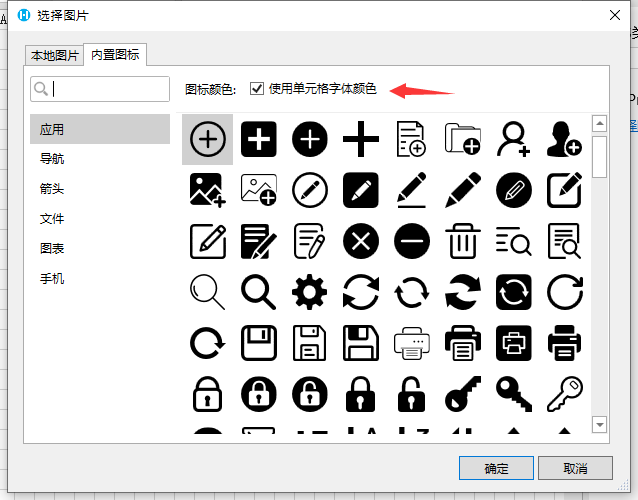
默认值为0表示默认标签页为本地图片,如果设置为 1 表示默认选中内置图标。其他值无效 4. 禁止图标使用单元格字体颜色 1. 设置ImageValuePropertyAttribute 的 SupportUseCellColor 属性 2. 代码
csharp
    public class MyPluginCellType : CellType
    {
        [ImageValueProperty(SupportUseCellColor = false)]
        public object MyProperty { get; set; }
    }
3. 效果
- 图标默认设置为使用单元格字体颜色
- 设置ImageValuePropertyAttribute 的 DefaultUseCellColor 属性
- 代码
csharp
    public class MyPluginCellType : CellType
    {
        [ImageValueProperty(DefaultUseCellColor = true)]
        public object MyProperty { get; set; }
    }
3. 效果
JavaScript 中的图片处理
在活字格中,图片使用分为三种情况
- 普通图片
- SVG图片
- 内置SVG图标
javascript
class MyPluginCellType extends Forguncy.Plugin.CellTypeBase {
    content = null;
    createContent() {
        this.content = $("<div style='width:100%;height:100%'></div>");

        const image = this.CellElement.CellType.MyProperty;
        if (image && image.Name) {
            let src = "";
            if (image.BuiltIn) {
                // 构建内建图标URL
                src = Forguncy.Helper.SpecialPath.getBuiltInImageFolderPath() + image.Name;
            }
            else {
                // 构建用户上传图片URL
                src = Forguncy.Helper.SpecialPath.getImageEditorUploadImageFolderPath() + encodeURIComponent(image.Name);
            }
            if (Forguncy.ImageDataHelper.IsSvg(src)) {
                // 如果是SVG需要发送请求获取SVG DOM结构,因为需要修改SVG的颜色,不能直接使用Image的src属性
                $.get(src, (data) => {
                    const svg = $(data.documentElement);
                    Forguncy.ImageHelper.preHandleSvg(svg, image.UseCellTypeForeColor ? "currentColor" : image.Color);
                    this.content.append(svg);
                });
            }
            else {
                this.content.append($("<img style='width:100%;height:100%' src=" + src + ">"))
            }
        }
        return this.content;
    }
}
Forguncy.Plugin.CellTypeHelper.registerCellType("MyPlugin.MyPluginCellType, MyPlugin", MyPluginCellType);
实际上图片类型的属性会在生成一个JavaScript对象,这个JavaScript对象包含4个属性
- IsBuiltIn: 表示是否为内建图标
- Name:表示图片名称
- Color:SVG 图片颜色,只有图片为SVG图片并且UseCellTypeForeColor时有效
- UseCellTypeForeColor:SVG 图片使用单元格字体颜色,只有SVG 图片有效
更新: 2022-11-26 21:55:36
原文: https://www.yuque.com/robert-bh51n/ea8l6c/ks011hd8f9rb4qpd