Appearance
整数属性
默认情况下,如果一个属性的类型是 int 那么这个属性会被自动识别为整数属性,不需要做任何额外的事情
csharp
    public class MyPluginCellType : CellType
    {
        public int MyProperty { get; set; }
    }
在设计器中效果如下
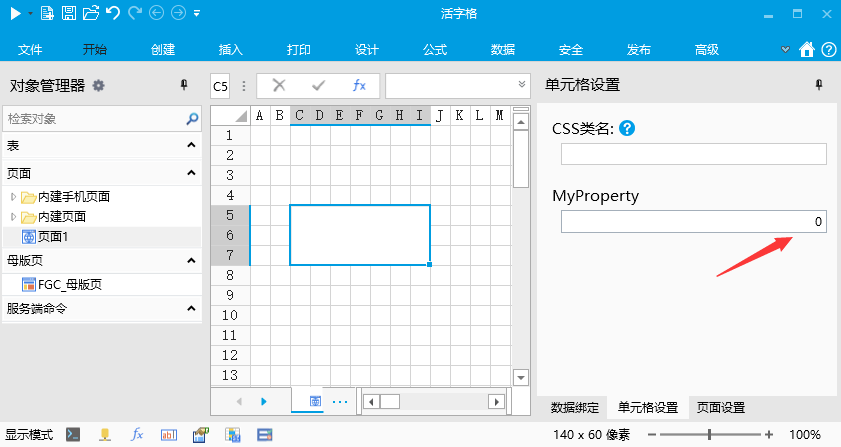
如果需要更细致的控制,需要使用 IntPropertyAttribute 标注来控制
注意,标注IntPropertyAttribute的属性类型必须是 int 或者 int?
- 控制最大值最小值
- 设置IntProperty 的 Min 和 Max 属性
- 代码
csharp
    public class MyPluginCellType : CellType
    {
        [IntProperty(Min = 1, Max = 10)]
        public int MyProperty { get; set; }
    }
3. 效果
在设计器中MyProperty属性只能输入 1 到 10 之间的整数 4. 其他说明
如果不标注 IntProperty 属性,默认整数属性的最小值是 0,最大值是 999。
如果标注了 IntProperty 属性,但是没有设置最大值最小值,则最小值是 -2147483648, 最大值是 2147483647 2. 控制属性值可空 1. 设置IntProperty 的 AllowNull属性,Watermark属性可选 2. 代码
csharp
    public class MyPluginCellType : CellType
    {
        [IntProperty(AllowNull = true, Watermark = "无限制")]
        public int? MyProperty { get; set; }
    }
3. 效果
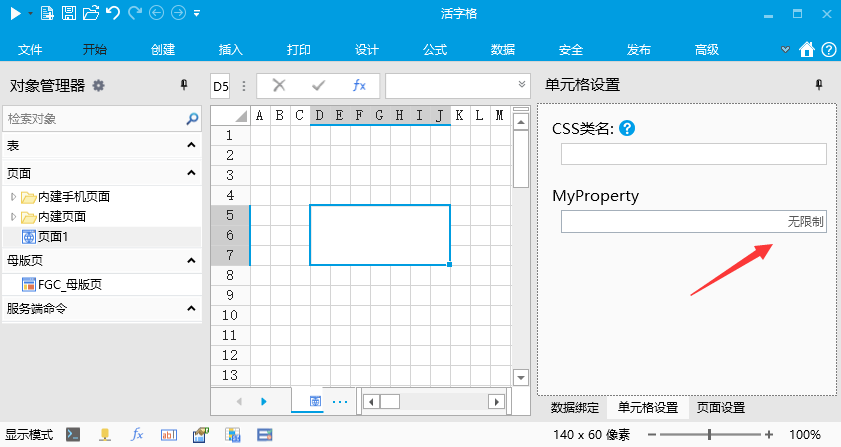 4. 注意
4. 注意
属性的类型需要声明为 int? 而不是 int
更新: 2022-11-26 17:20:50
原文: https://www.yuque.com/robert-bh51n/ea8l6c/cg43ipe7you8wtgr