Appearance
枚举类型属性
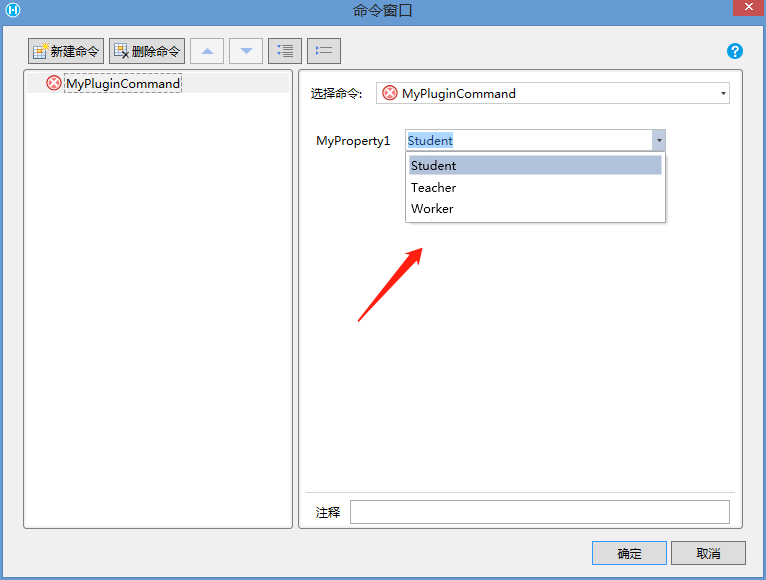
如果属性的类型是枚举,那么在设计器中会以下拉列表的形式提供给用户编辑
csharp
    public class MyPluginCommand : Command
    {
        public UserType MyProperty1 { get; set; }
    }
    public enum UserType
    {
        Student,
        Teacher,
        Worker
    }
在设计器中效果如下
需要注意的是,在C#代码中的枚举生成到JavaScript 中实际上是一个整数,默认情况下整数的值就是枚举出现的顺序
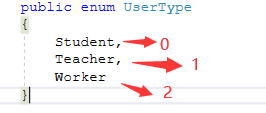
所以在JavaScript代码中需要如下处理
javascript
class MyPluginCommand extends Forguncy.Plugin.CommandBase{
    execute() {
        const propValue = this.CommandParam.MyProperty1;
        let text = "";
        switch (propValue) {
            case 0:
                text = "学生"
                break;
            case 1:
                text = "教师"
                break;
            case 2:
                text = "工人"
                break;
            default:
        }
        alert(text);
    }
}

Forguncy.Plugin.CommandFactory.registerCommand("MyPlugin.MyPluginCommand, MyPlugin", MyPluginCommand);
为了提升代码的可读性性,可以替换为一下等价代码处理枚举类型属性
javascript
class MyPluginCommand extends Forguncy.Plugin.CommandBase{
    userType = {
        0: "学生",
        1: "教师",
        2: "工人",
    }
    execute() {
        const propValue = this.CommandParam.MyProperty1;
        alert(this.userType[propValue]);
    }
}

Forguncy.Plugin.CommandFactory.registerCommand("MyPlugin.MyPluginCommand, MyPlugin", MyPluginCommand);
自定义枚举项目显示名称, 可以通过标注 Description 实现
csharp
    public class MyPluginCommand : Command
    {
        public UserType MyProperty1 { get; set; }
    }
    public enum UserType
    {
        [Description("学生")]
        Student,
        [Description("教师")]
        Teacher,
        [Description("工人")]
        Worker
    }
效果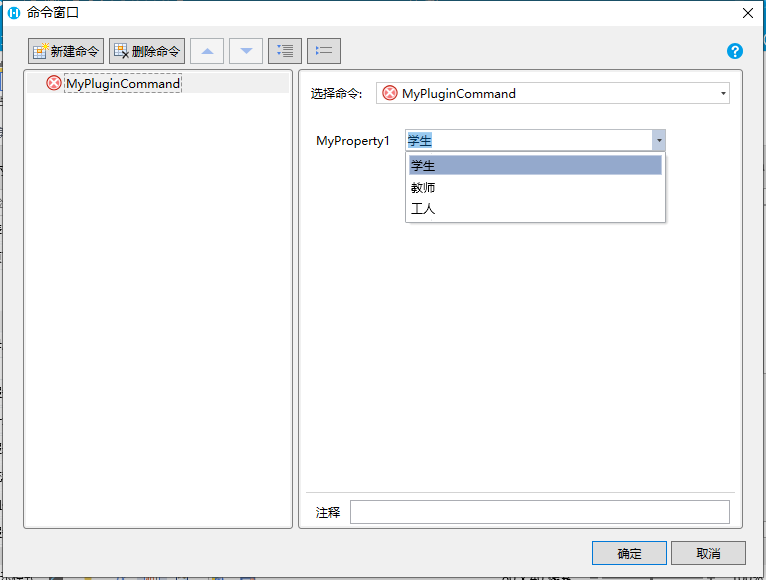
更新: 2022-12-06 11:54:11
原文: https://www.yuque.com/robert-bh51n/ea8l6c/tgw9aa0g4h4mviq5