Appearance
开发自定义中间件
什么是中间件?
活字格的服务器是基于 Asp.net core 6.0 实现的,Asp.net 在处理一个请求时,会把请求交个中间件来处理。通常,中间件是一个顺序列表。请求会先发送给第一个中间件,第一个中间件处理完成之后,会决定是否交给第二个中间件来处理,第二个中间件会决定是否交给第三个中间件来处理,以此类推。
当所有中间件处理完成,或者某一个中间件选择不交给下一个中间件处理则请求返回。
在活字格中如何开发自定义中间件?
活字格 V8.1 支持自定义中间件来处理高级需求,尤其是在使用第三方SDK的时候回特别有用,因为很多第三方SDK的接口就是以中间件的形式提供的。
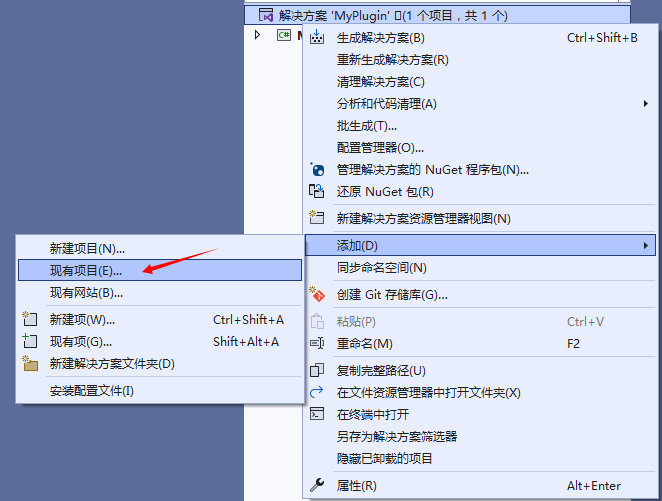
- 在自定义插件项目的解决方案点击右键,在右键菜单中选择 “添加”-> “现有项目”
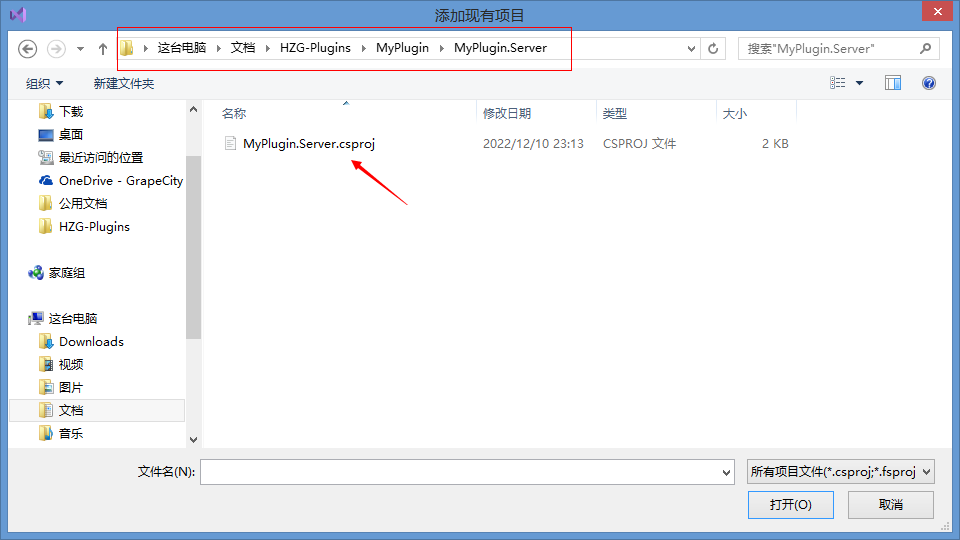
- 找到当前项目中的“MyPlugin.Server.csproj”并选中,添加自定义中间件的模板工程
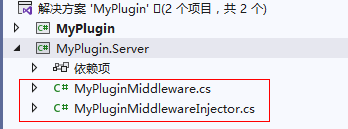
- 添加后可以看到,在MyPlugin.Server工程里有两个文件,MyPluginMiddleware.cs 和 MyPluginMiddlewareInjector.cs
- MyPluginMiddleware.cs 是一个示例中间件,默认代码如下。实际上这就是一个标准的 Asp.net 的中间件,如果要对接的是三方库的中间件,可以不添加这个文件。
csharp
using Microsoft.AspNetCore.Http;
using System.Threading.Tasks;

namespace MyPlugin.Server
{
    internal class MyPluginMiddleware
    {
        private readonly RequestDelegate _next;
        public MyPluginMiddleware(RequestDelegate next)
        {
            _next = next;
        }

        public async Task InvokeAsync(HttpContext context)
        {
            if(context.Request.Path.Value == "/MyPluginMiddleware")
            {
                await context.Response.WriteAsync("自定义中间件测试成功");
                return;
            }
            await _next(context);
        }
    }
}- MyPluginMiddlewareInjector.cs 负责把中间件注册给活字格,默认代码如下。
csharp
using System;
using System.Collections.Generic;
using GrapeCity.Forguncy.ServerApi;
using Microsoft.AspNetCore.Builder;
using Microsoft.Extensions.DependencyInjection;

namespace MyPlugin.Server
{
    public class MyPluginMiddlewareInjector : MiddlewareInjector
    {
        public override List<ServiceItem> ConfigureServices(List<ServiceItem> serviceItems, IServiceCollection services)
        {
            serviceItems.Insert(0, new ServiceItem()
            {
                Id = "2eb703ef-7afd-4970-a1f3-85ddc57dea9b",
                ConfigureServiceAction = () =>
                {
                    // 这里可以注册中间件需要的服务,相当于 Asp.net 中的 public void ConfigureServices(IServiceCollection services) 方法
                    //services.AddXXXService();
                },
                Description = "我的自定义中间件服务"
            });
            return base.ConfigureServices(serviceItems, services);
        }
        public override List<MiddlewareItem> Configure(List<MiddlewareItem> middlewareItems, IApplicationBuilder app)
        {
            middlewareItems.Insert(0, new MiddlewareItem()
            {
                Id = "2eb703ef-7afd-4970-a1f3-85ddc57dea9b",
                ConfigureMiddleWareAction = () =>
                {
                    app.UseMiddleware<MyPluginMiddleware>();
                },
                Description = "我的自定义中间件"
            });
            return base.Configure(middlewareItems, app);
        }
    }
}- 代码解释:定义了一个MyPluginMiddlewareInjector类从MiddlewareInjector,可以重写ConfigureServices方法和Configure。ConfigureServices 负责注册服务,Configure负责注册中间件。在函数的参数中,是活字格默认的服务或中间件列表,可以根据需求把中间件插入到最前边,最后边或者特定的某个中间件之后。甚至可以移除活字格默认的某个中间件(不推荐)
- 编译工程
如何让活字格加载自定义中间件
活字格有三种加载自定义中间件的方式
通过“自定义Web Api ”上传中间件DLL
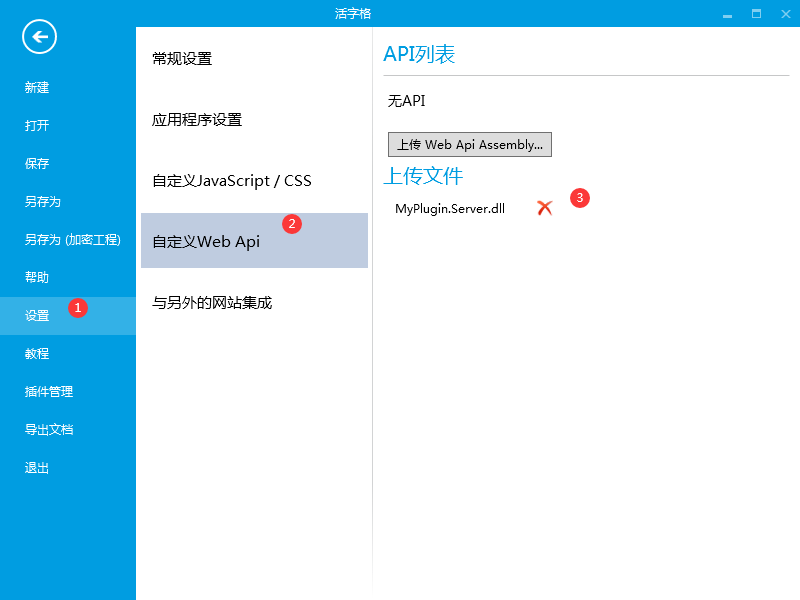 测试, 运行网站,输入在 Forguncy 后输入 /MyPluginMiddleware 访问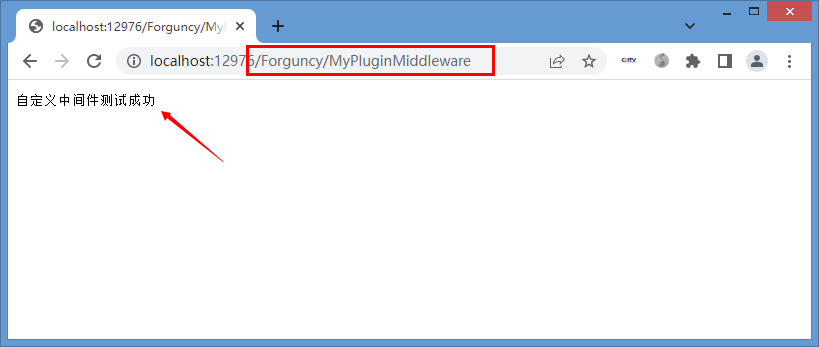
给插件添加自定义中间件
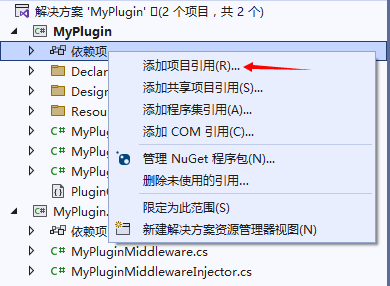
- 在MyPlugin工程中,右键点击依赖项,选择“添加项目引用”
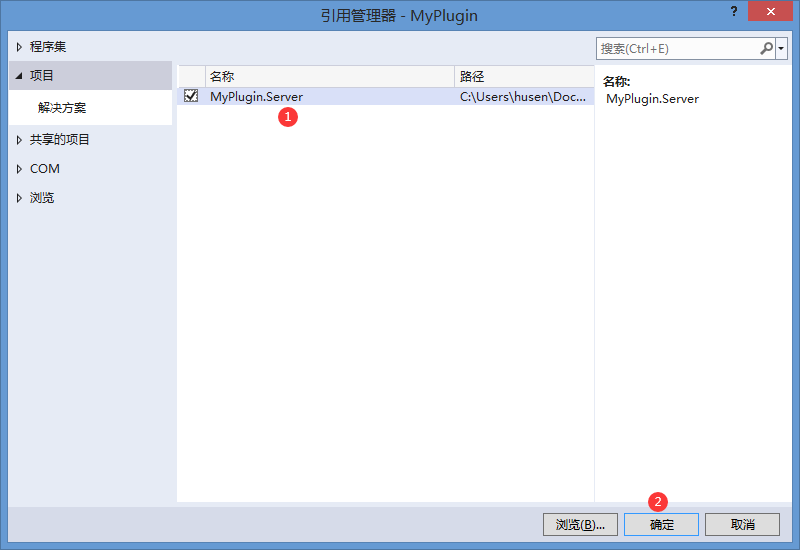
- 选择 MyPlugin.Server 点击确定
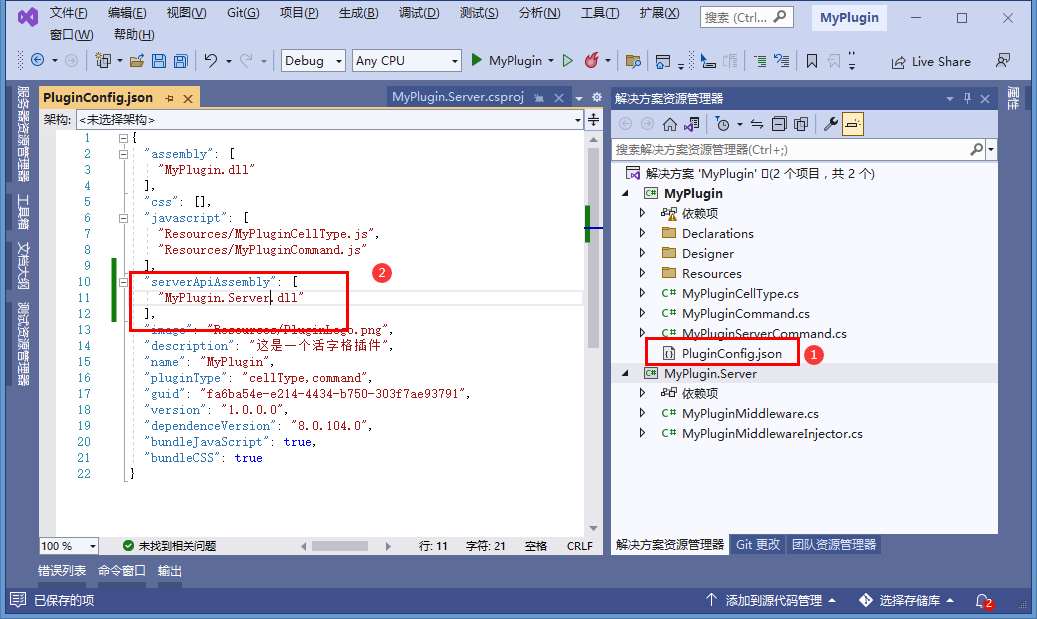
- 修改 PluginConfig.json, 添加 serverApiAssembly 配置,值为 MyPlugin.Server.dll
- 完成后,只要工程中在任意位置使用了此插件,都会加载自定义中间件
此方法适合插件功能与中间件功能非常紧密时使用。例如微信支付命令插件需要配合 微信支付中间件来实现。Wyn集成单元格插件需要配合 Wyn中间件来实现等。
拷贝自定义中间件到活字格服务器的指定目录
- 把 MyPlugin.Server.dll 拷贝到 C:\Users\Public\Documents\ForguncyServer\【应用名】\MiddlewareInjector 目录下
- 重启后应用会自动加载 MiddlewareInjector 目录下的自定义中间件
此方法的好处是不需要重新发布应用即可替换自定义中间件
如何让活字格加载自定义中间件
调试自定义插件和调试服务端Api类似
- 中间件被正确加载后,通过VisualStudio的附加到进程功能,附加到活字格Web应用进程 ForguncyServerConsole.exe
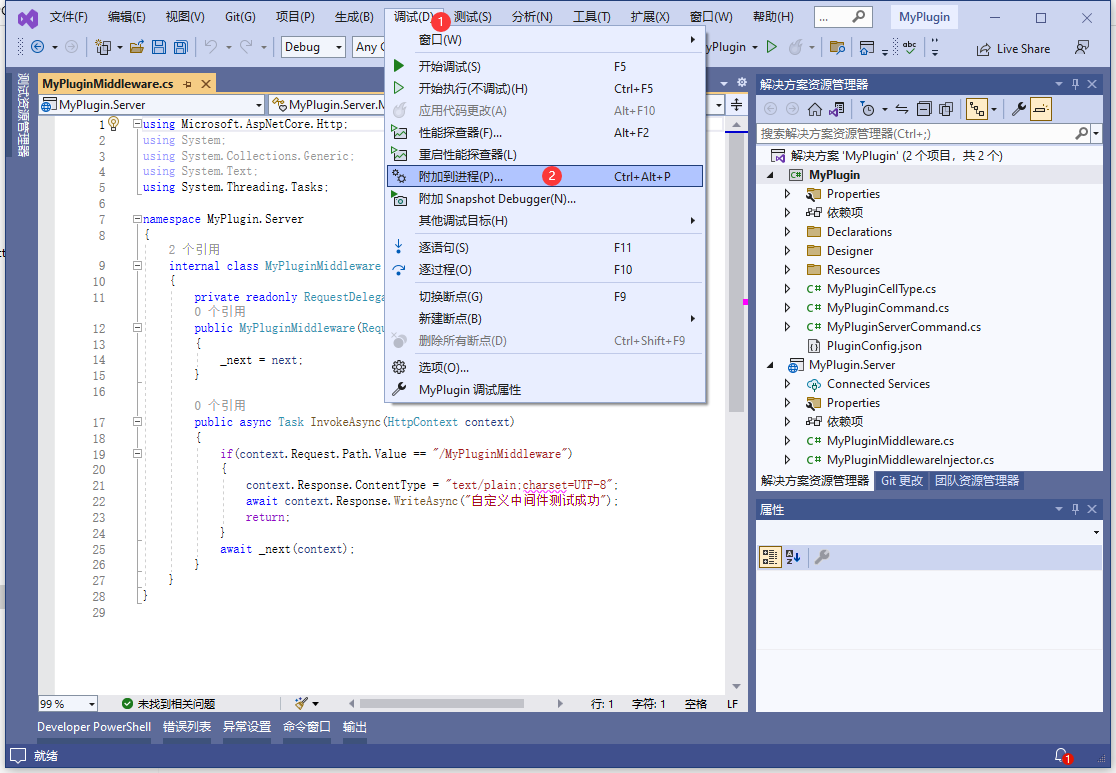
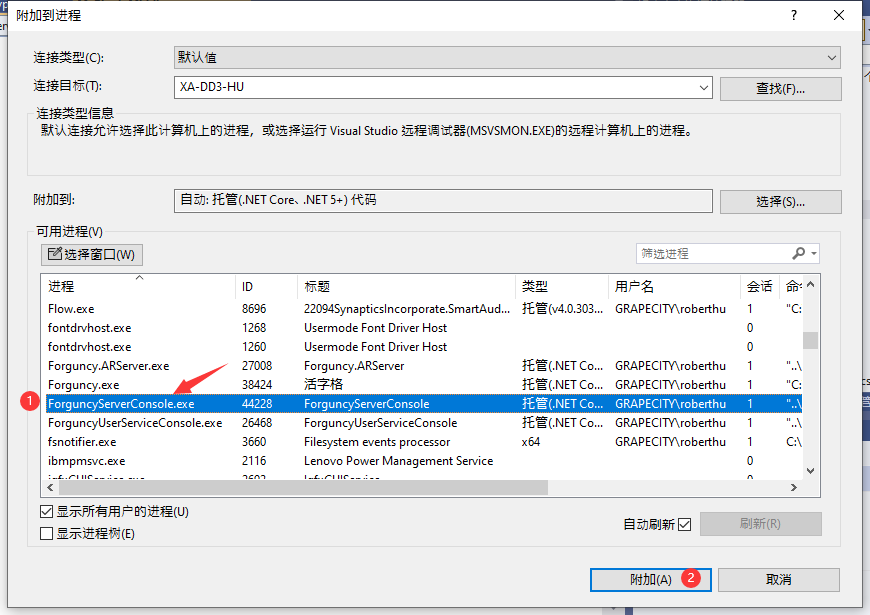
- 附加进程后,可以在代码同添加断点进行调试
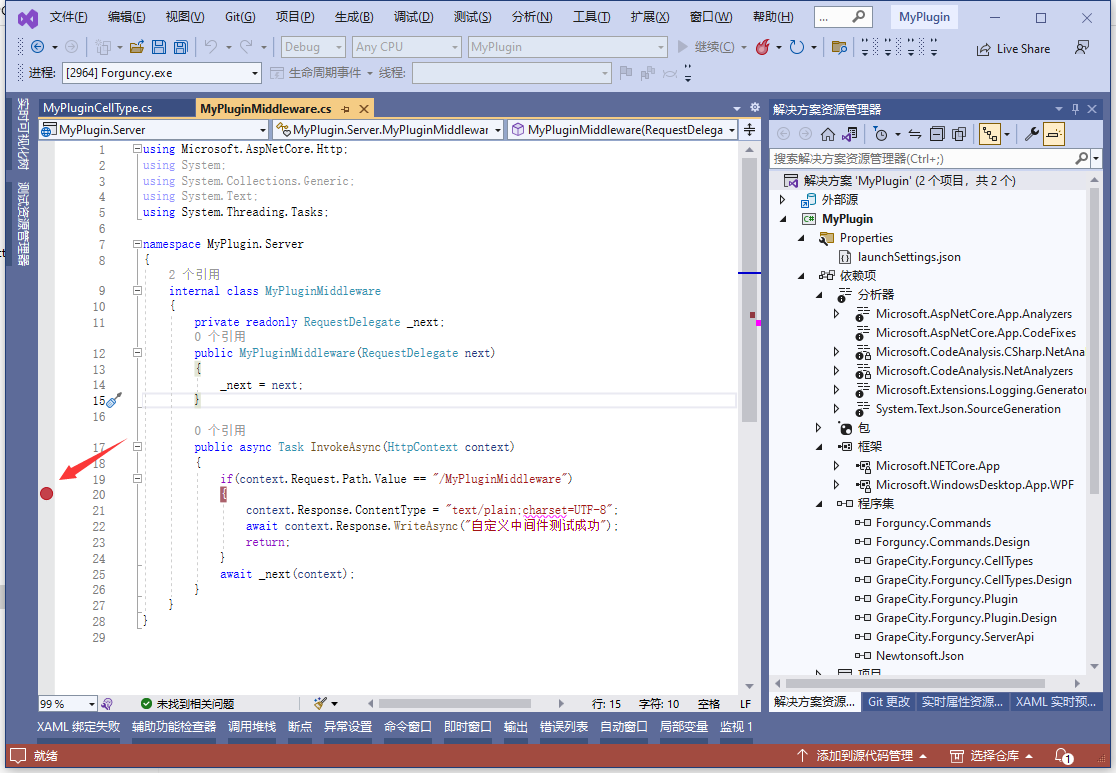
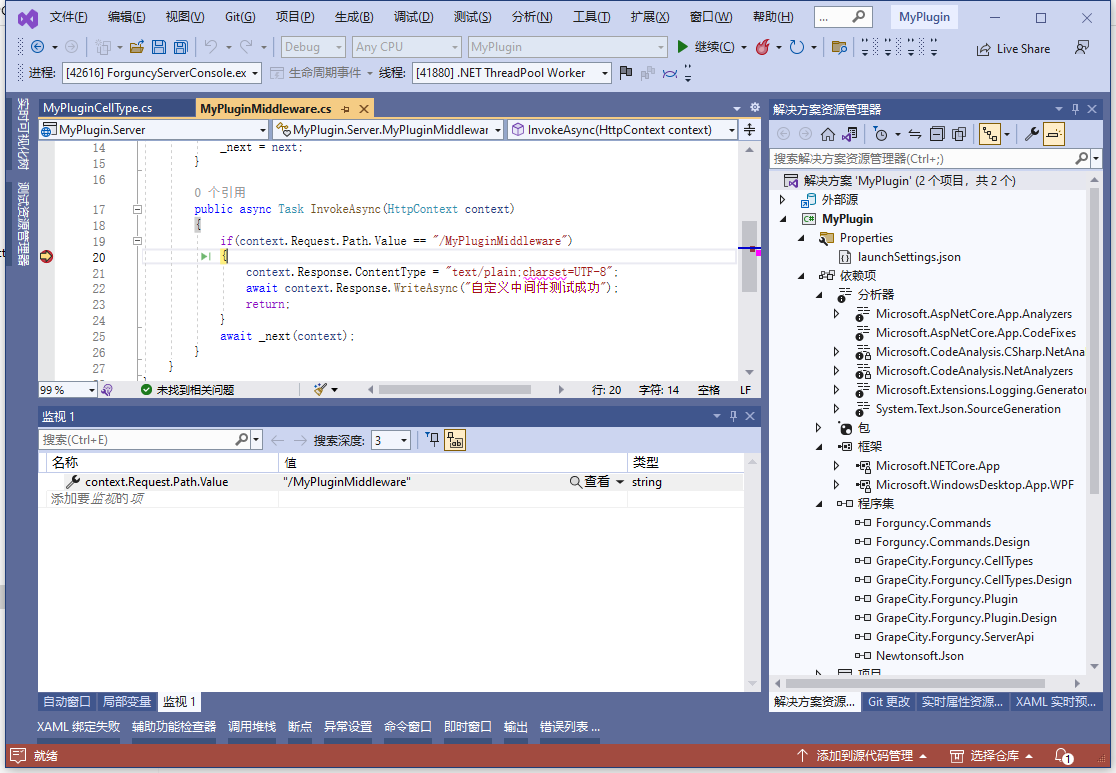
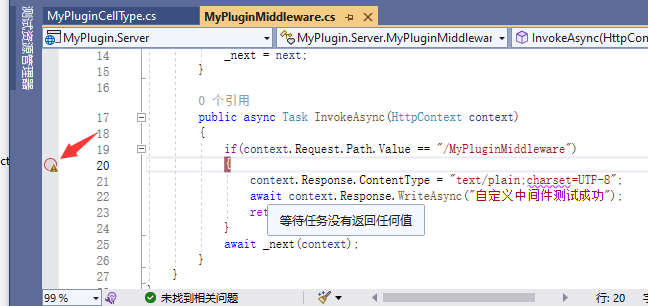
- 注意,如果断点显示为空心圆点加黄色感叹号,说明中间件没有被正确加载,请检查是否正确配置了中间件
更新: 2024-06-19 16:39:23
原文: https://www.yuque.com/robert-bh51n/ea8l6c/ie1pg0zbspsby26c